



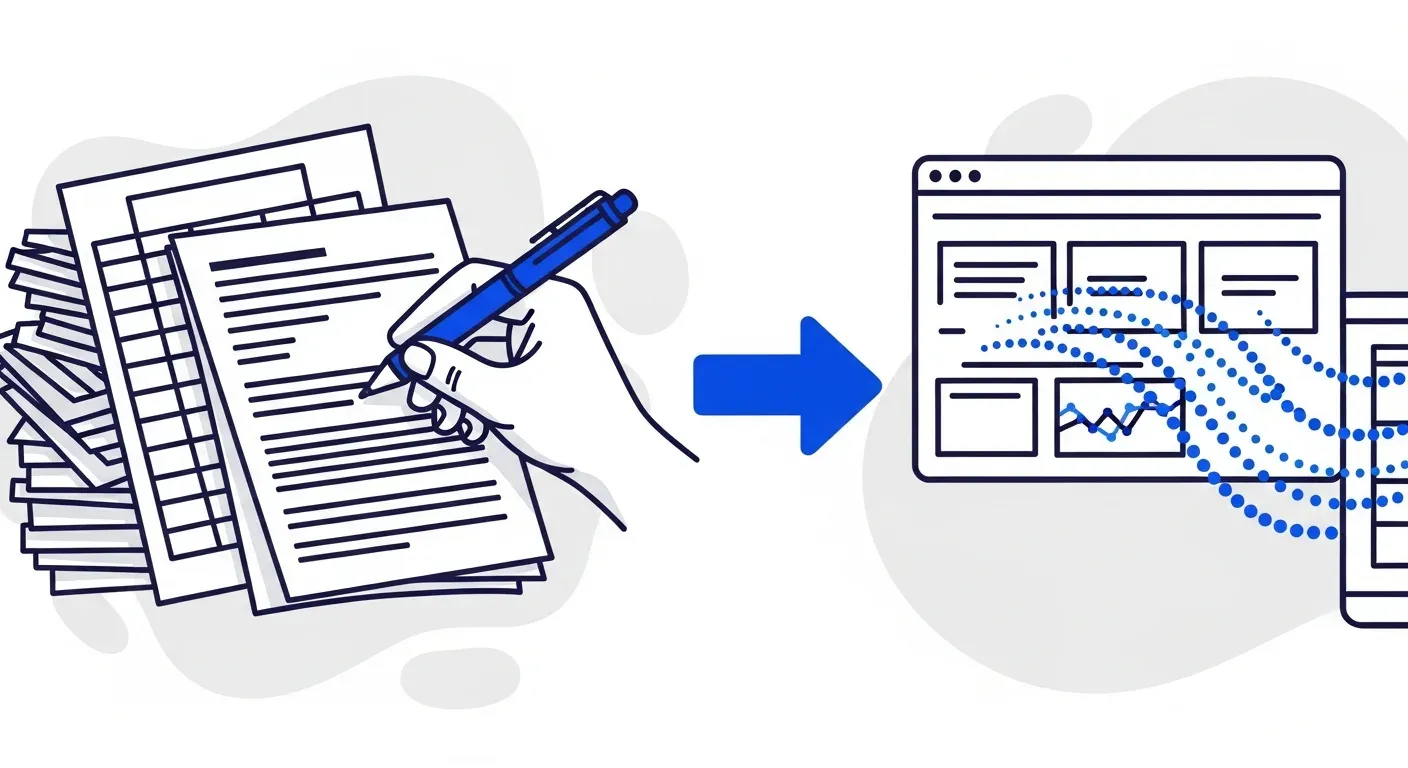
You can eliminate most manual data entry in AR by connecting your accounting system to an automation platform that syncs invoices, contacts, and payment data in real time. The biggest wins come from automating invoice ingestion, payment reconciliation, and customer record updates. B2B finance teams that remove manual data entry from their AR workflow typically recover 10 to 15 hours per week and reduce error rates by 80% or more.
Your AR specialist opens the bank statement. A payment came in overnight. They switch to the accounting system, find the customer, locate the matching invoice, and record the payment. Then they open the aging report spreadsheet and update the balance. Then they update the collections tracker. Then they copy the payment details into the weekly cash report.
One payment. Four systems. Five minutes of work that added zero insight and required zero judgment.
Multiply that by the 50 or 100 payments your team processes each week, and you start to see the scale of the problem. According to the Institute of Finance and Management, AR teams spend 30% to 50% of their working hours on data entry and data transfer tasks. That is not accounts receivable management. That is clerical work that a connected system could handle in seconds.
Here is how to systematically eliminate manual data entry from your AR process without replacing the tools you already use. Most of the fixes below come from one category of tooling, accounts receivable automation software, which connects your systems so the data moves itself.
Where manual data entry hides in AR
Before you can reduce data entry, you need to see where it actually lives. Most finance teams underestimate the total volume because the work is distributed across small, routine tasks that feel normal. They have always been done this way, so they do not register as problems.
Invoice creation and distribution
If your team manually enters invoice details (line items, amounts, payment terms, customer addresses) into your accounting system, that is data entry. If they then export those invoices to email them as PDFs, that is another manual step. If they log the send date and recipient in a separate tracker, that is a third.
Payment recording
When a payment arrives, someone needs to record it against the correct invoice in your accounting system. If your bank feed is not connected, this means manually entering the payment amount, date, and reference. If it is connected but matching is manual, your team is still spending time reviewing each transaction and clicking to apply it.
Aging report updates
Many B2B finance teams maintain aging reports in spreadsheets alongside (or instead of) their accounting software's built-in reports. Every time a payment is recorded or an invoice is issued, the spreadsheet needs updating. This creates a parallel data maintenance burden that grows with invoice volume.
Customer record management
Customer contacts change. Payment terms get renegotiated. New subsidiaries appear. If these updates need to be made in multiple places (your accounting system, your collections tracker, your contact list), each change becomes a data entry task with the potential for inconsistency.
Collections tracking
If your team tracks follow-up activities in a spreadsheet or CRM separate from your accounting software, every call, email, and payment promise becomes a manual log entry. The tracker is only as accurate as the last time someone updated it, which means it is usually at least a day behind reality.
The real cost of manual data entry
Manual data entry in AR is not just tedious. It creates measurable business costs that compound over time.
Errors that cascade
Human data entry has a typical error rate of 1% to 4% per field, according to research published in the Journal of Accountancy. In AR, a single wrong digit in a payment amount means a misapplied payment. That misapplication means your aging report is wrong, your follow-up sequence sends the wrong reminder, and your customer receives a notice for an invoice they already paid.
Each error takes 15 to 30 minutes to investigate and correct. Across a month's worth of transactions, even a 1% error rate can consume multiple hours of your team's time just fixing mistakes that should never have happened.
Delayed visibility
When data lives in spreadsheets that get updated manually, your view of AR is always lagging. The aging report you reviewed this morning does not reflect the three payments that arrived after lunch. The DSO figure in your monthly report was calculated from data that was already two days stale when someone pulled it.
This lag matters because delayed visibility leads to delayed decisions. You cannot prioritize collections effectively if you do not know which invoices are actually unpaid right now. You cannot forecast cash flow accurately if your payment data is 48 hours behind.
Lost team capacity
A three-person AR team spending 40% of their time on data entry is effectively operating with 1.8 people available for actual accounts receivable work. The data entry hours cannot be spent on dispute resolution, customer relationship building, credit analysis, or process improvement. You are paying for AR expertise and getting data entry labor.
For context on where those hours go and what they are worth, see our breakdown of how much time AI saves in collections.
Five ways to eliminate manual data entry in AR
The solution is not to hire more people to enter data faster. It is to connect your systems so data flows automatically and to automate the tasks that currently require a human to copy information from one place to another.
1. Connect your accounting system to your AR platform
This is the single highest-impact change you can make. When your AR automation platform connects directly to your accounting software, invoices, customer records, payment terms, and transaction data sync in real time. No one needs to export a CSV from one system and import it into another. No one needs to manually check that the numbers match.
Platforms like Yonovo integrate natively with QuickBooks, Xero, NetSuite, Sage, and Odoo. The integration pulls your open invoices, customer contacts, and payment history automatically. When a payment is recorded in your accounting system, it appears in your AR platform within minutes. When a new invoice is created, it enters the follow-up workflow without anyone touching it.
This single connection eliminates the majority of data re-entry for most teams. If you do nothing else on this list, do this.
2. Automate payment reconciliation
Manual payment matching is one of the most time-intensive data entry tasks in AR. Each payment needs to be identified, matched to the correct invoice, and recorded. When payments are partial, combined, or missing reference numbers, the matching process can take 10 to 30 minutes per transaction.
AI-powered payment matching eliminates this work by automatically cross-referencing payment amounts, customer identifiers, bank references, and historical patterns. Modern systems achieve 85% to 95% straight-through matching rates, meaning only the genuinely complex exceptions reach your team.
The time savings are substantial. If your team spends two hours per day on payment matching, a 90% automation rate recovers nearly two of those hours immediately.
3. Automate follow-up logging
If your team logs every collection touchpoint manually (who was contacted, when, through which channel, what was the response), you are asking them to do double work. They do the follow-up and then they document the follow-up.
An automated AR platform records every interaction automatically. When an email reminder goes out, it is logged. When a customer opens the email or clicks the payment link, it is logged. When an SMS is delivered, it is logged. When an AI voice call connects, the outcome is recorded. Your team gets a complete activity history for every customer and every invoice without entering a single note.
This is especially valuable for multi-channel follow-up sequences where tracking activities across email, SMS, WhatsApp, and voice calls manually would be impractical.
4. Replace spreadsheet aging reports with real-time dashboards
Spreadsheet-based aging reports are the classic example of manual data entry that nobody questions. Someone on your team pulls data from the accounting system, pastes it into a spreadsheet, applies formulas, updates the formatting, and distributes it. This happens weekly or monthly, and by the time it is finished, the data is already outdated.
Real-time AR dashboards pull directly from your accounting system and update continuously. Your aging breakdown, DSO trends, collection rates, and customer payment patterns are always current. No one needs to build, maintain, or distribute a spreadsheet report.
The shift from spreadsheet reporting to real-time dashboards does not just save data entry time. It changes how your team operates. Instead of reviewing a weekly snapshot and reacting to what already happened, your team can monitor AR health continuously and act on emerging issues before they become problems. For more on how to reduce DSO through better visibility, see our dedicated guide.
5. Centralize customer data with a single source of truth
If customer contact information, payment terms, credit limits, and communication preferences live in multiple places, every update creates multiple data entry tasks. A new AP contact at a customer means updating your accounting system, your collections tracker, your CRM, and your email templates.
Centralizing customer data in your accounting system and connecting everything else to it through integrations eliminates this duplication. Update the contact in one place, and every connected system reflects the change. No spreadsheet reconciliation. No "which version is correct?" debates.
How to prioritize your data entry elimination
Not every data entry task delivers the same ROI when automated. Here is a practical prioritization framework based on frequency and time per occurrence.
Start here: accounting system integration
If your AR platform and accounting software are not connected, start here. This single step eliminates more manual data entry than any other action. The integration typically takes less than a day, and the impact is immediate.
Next: payment reconciliation automation
If your team spends more than an hour per day matching payments to invoices, this is your second priority. The combination of accounting integration and automated matching eliminates roughly 60% to 70% of total manual data entry for most AR teams.
Then: follow-up automation and reporting
Automated follow-ups with automatic activity logging and real-time dashboards replace the remaining spreadsheet maintenance and manual tracking. These changes are incremental on top of the first two but collectively recover another 5 to 10 hours per week.
What the results look like
B2B finance teams that systematically remove manual data entry from AR consistently report three outcomes.
Time recovered. Teams typically recover 10 to 15 hours per week that were previously spent on data entry and data transfer tasks. That time gets redirected to dispute resolution, customer relationships, and strategic finance work.
Error reduction. Eliminating manual data re-entry removes the primary source of AR data errors. Teams report 80% or greater reductions in payment misapplications, incorrect aging data, and duplicate follow-ups on paid invoices.
Faster collections. Accurate, real-time data means follow-ups go out on time, payment matching happens immediately, and DSO reflects actual performance rather than a lagging estimate. TDG Inc reduced manual follow-ups by 80% and cut DSO by 15 days within three months of automating their AR process. Troyes went from fully manual to fully automated in a single day.
The spreadsheet is not your process
If your AR process requires a spreadsheet to function, you do not have an AR process. You have a workaround. The spreadsheet exists because your systems are not connected and your data does not flow automatically. Every minute your team spends updating it is a minute that proves the problem.
The fix is not a better spreadsheet. It is connecting your systems, automating the data flows, and giving your team tools that eliminate the copy-paste work entirely.
Whether you are running AR for a manufacturing business with complex billing, a wholesale distribution company with high invoice volumes, a professional services firm with milestone-based invoicing, or a software company with recurring subscriptions, the data entry problem is the same. And the solution is the same: connect your systems and automate the handoffs.
If your team is ready to stop copying data between spreadsheets and start managing AR with systems that talk to each other, book a demo with Yonovo to see how real-time accounting integrations and automated workflows eliminate manual data entry from your collections process.
Frequently Asked Questions
What causes the most manual data entry in accounts receivable?
The biggest sources of manual data entry in AR are re-keying invoice details from one system to another, copying payment information from bank statements into your accounting software, updating customer records across multiple spreadsheets, and manually building aging reports. Most of this work exists because systems are not connected and data does not flow automatically between them.
Can I reduce data entry without replacing my accounting software?
Yes. AR automation platforms like Yonovo integrate with your existing accounting software, whether that is QuickBooks, Xero, NetSuite, Sage, or Odoo. The integration syncs data between systems automatically, eliminating the need to manually re-enter information. You keep your accounting system and add an automation layer on top.
How much time does manual data entry waste in AR?
Industry studies estimate that AR specialists spend 30% to 50% of their time on data entry and data transfer tasks. For a three-person AR team, that is the equivalent of one to one and a half full-time employees doing nothing but copying data between systems. Automating these tasks recovers that time for higher-value work like dispute resolution and customer relationship management.
How long does it take to set up automated data entry for AR?
Most teams are fully operational within one to two days. The setup involves connecting your accounting system via a native integration, mapping your invoice fields and customer data, and configuring your automation rules. Troyes, a Yonovo customer, went from fully manual collections to fully automated in a single day.
Will automation introduce errors into my AR data?
Automation reduces errors compared to manual entry. Human data entry has a typical error rate of 1% to 4% per field. Automated systems that pull data directly from source systems eliminate transcription errors entirely. The data in your AR platform matches your accounting software exactly because it is the same data, synced in real time rather than re-keyed by hand.