



Sync BILL and get paid


Trusted by teams who hate chasing payments




BILL wasn't made for collections
BILL is great at invoicing, bill pay, and moving money. But it was never designed to chase what is owed after an invoice goes out. That gap falls on your team, and it is costing you time, cash flow, and focus every single week.
BILL tracks what is invoiced and paid, but not who is at risk. Your team is left guessing on DSO and collection priorities.
Chasing overdue invoices means copying details into emails and tracking replies in spreadsheets. Accounts slip through the cracks.
Different people, different messages, different timing. Customers get confused and payments stall.
Unpaid invoices quietly pile up. Every day an invoice goes uncollected costs you cash flow.
Yonovo picks up where BILL stops
BILL joins QuickBooks, Xero, and CSV as a supported accounting source. Connect it once, and Yonovo handles the outreach, the timing, and the escalations while your team focuses on the work that actually moves the business forward.
Real-time sync
Customers, invoices, and received payments stay current with incremental sync and webhooks where BILL supports them.
Pay-now links
BILL payment links ride along in every reminder so customers can pay directly from the message.
Multi-channel
Reach customers across email, SMS, and phone so no single ignored channel holds up a payment.
Smart pause
When a customer schedules payment in BILL, Yonovo pauses follow-ups automatically and resumes only if it lapses.
Reduce DSO
Consistent outreach closes the gap between invoicing and payment so cash arrives sooner.
Better relationships
Professional reminders replace awkward one-off emails. Customers respond better and stay happy.
Start using Yonovo in minutes
Connect BILL in a few clicks. Enter your BILL organization ID and sync-token credentials on the integrations page. No OAuth redirect needed.
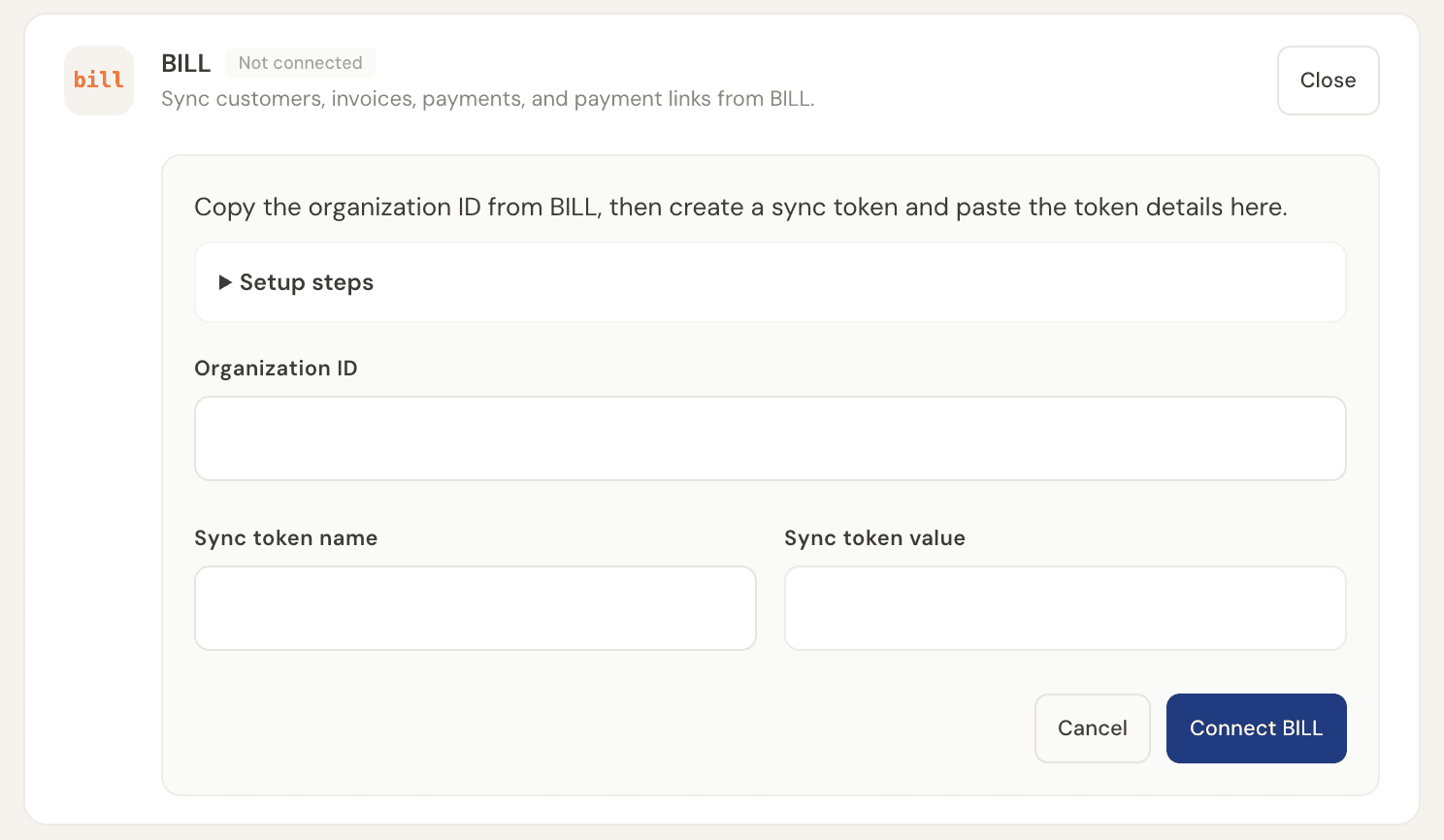
Connect BILL in a few clicks. Enter your BILL organization ID and sync-token credentials on the integrations page. No OAuth redirect needed.
Yonovo runs a historical sync and imports your BILL customers, invoices, and received payments in real time.
Yonovo runs a historical sync and imports your BILL customers, invoices, and received payments in real time.
When an invoice goes overdue, Yonovo follows up by email, SMS, and AI-powered phone calls, with the BILL payment link included so customers can pay from the reminder.
When an invoice goes overdue, Yonovo follows up by email, SMS, and AI-powered phone calls, with the BILL payment link included so customers can pay from the reminder.
When a customer schedules payment in BILL, Yonovo automatically pauses follow-ups and resumes only if the payment fails, is cancelled, or lapses.
When a customer schedules payment in BILL, Yonovo automatically pauses follow-ups and resumes only if the payment fails, is cancelled, or lapses.
Monitor recovery rates, DSO, and at-risk invoices from your dashboard so you always know where your receivables stand.
Monitor recovery rates, DSO, and at-risk invoices from your dashboard so you always know where your receivables stand.
What changes when you add Yonovo
See what your BILL setup is missing and what you unlock when you add Yonovo.
 +
+