
Accounts Receivable Automation Software
Accounts receivable automation software connects to your accounting system and follows up on unpaid invoices so your team does not have to. It is built for finance teams that are done chasing payments by hand. Here is what the category does, how the leading platforms compare, and how Yonovo runs the whole process for you.
Trusted by teams who hate chasing payments




What is accounts receivable automation software?
Accounts receivable automation software connects to a company's accounting system and takes over the manual work of collecting payment on invoices. It tracks which invoices are due or overdue, sends payment reminders on a schedule across channels like email, SMS, and phone, escalates accounts that need human attention, and records payments as they arrive. The goal is to shorten days sales outstanding, cut manual collection work, and keep cash flowing without adding headcount.
How the top AR automation platforms compare
Ten platforms, ordered by the size of company each one serves best. There is no universal winner here. The right tool depends on your accounting system, your invoice volume, and how much of the work you want handled for you.
| Vendor | Best for | Channels supported | Accounting integrations | Setup time | Pricing model | Pricing public |
|---|---|---|---|---|---|---|
| FreshBooks | Very small businesses that mainly need invoicing | Own accounting product | Days | From about $19 per month | ||
| Bill.com | SMBs that want AP, AR, and spend in one suite | Email, auto pay reminders | QuickBooks, Xero, NetSuite, Sage Intacct, Microsoft Dynamics | 1 to 2 weeks | Per user, from about $49 per user per month | |
| Chaser | UK and European SMBs, strong in the Xero ecosystem | Email, SMS, automated calls, postal | Xero, QuickBooks Online, Sage, Odoo, NetSuite, more | Days to 1 week | Published tiers, from £199 per month | |
| Yonovo | SMB and mid market teams that want collections run for them | Email, SMS, phone, WhatsApp | QuickBooks Online, Xero, NetSuite, Sage Intacct, Odoo, Stripe Billing, BILL | About one day | Custom quote, sized to your company | |
| Upflow | Venture backed SaaS companies with subscription revenue | Email, with SMS, postal, and calls metered per use | QuickBooks, Xero, NetSuite, Sage, Stripe | 2 to 3 weeks | Tiered by ARR bracket, quote based | |
| Invoiced | Mid market teams that want billing and AR in one platform | Email, customer payment portal | ERP and CRM sync, global payments | 2 to 4 weeks | Quote based | |
| Quadient AR (formerly YayPay) | Mid market teams that need customizable workflows | Email, customer portal | Mid market ERPs | 2 to 4 weeks | Custom | |
| Versapay | Teams with high value accounts that want a collaborative portal | Email, customer portal | Mid market and enterprise ERPs | 2 to 6 weeks | Custom | |
| Billtrust | Manufacturing and distribution with high invoice volume | Email, portal, EDI | Enterprise ERPs | 6 to 12 weeks | Custom | |
| HighRadius | Large enterprises on SAP or Oracle | Email, customer portal | SAP, Oracle, NetSuite | 3 to 6 months | Custom, enterprise |
A quick way to read the table. If you mainly need invoicing with light reminders, start at the top. If you want collections run for you without an implementation project, that is what Yonovo is built for, priced by company size with a custom quote after a short demo. If you are an enterprise on SAP or Oracle, start at the bottom. Weighing Yonovo against a specific tool? See the head to head comparisons with Upflow, Chaser, Invoiced, and Bill.com, or read the full fifteen platform comparison.
If your question is narrower, we cover debt collection software for overdue B2B invoices, the full collections workflow, and dunning management separately.
Vendor details come from public pricing pages and product documentation, last checked August 2026. Tell us if something is out of date.
Most AR software tells you what needs doing. Yonovo does it.
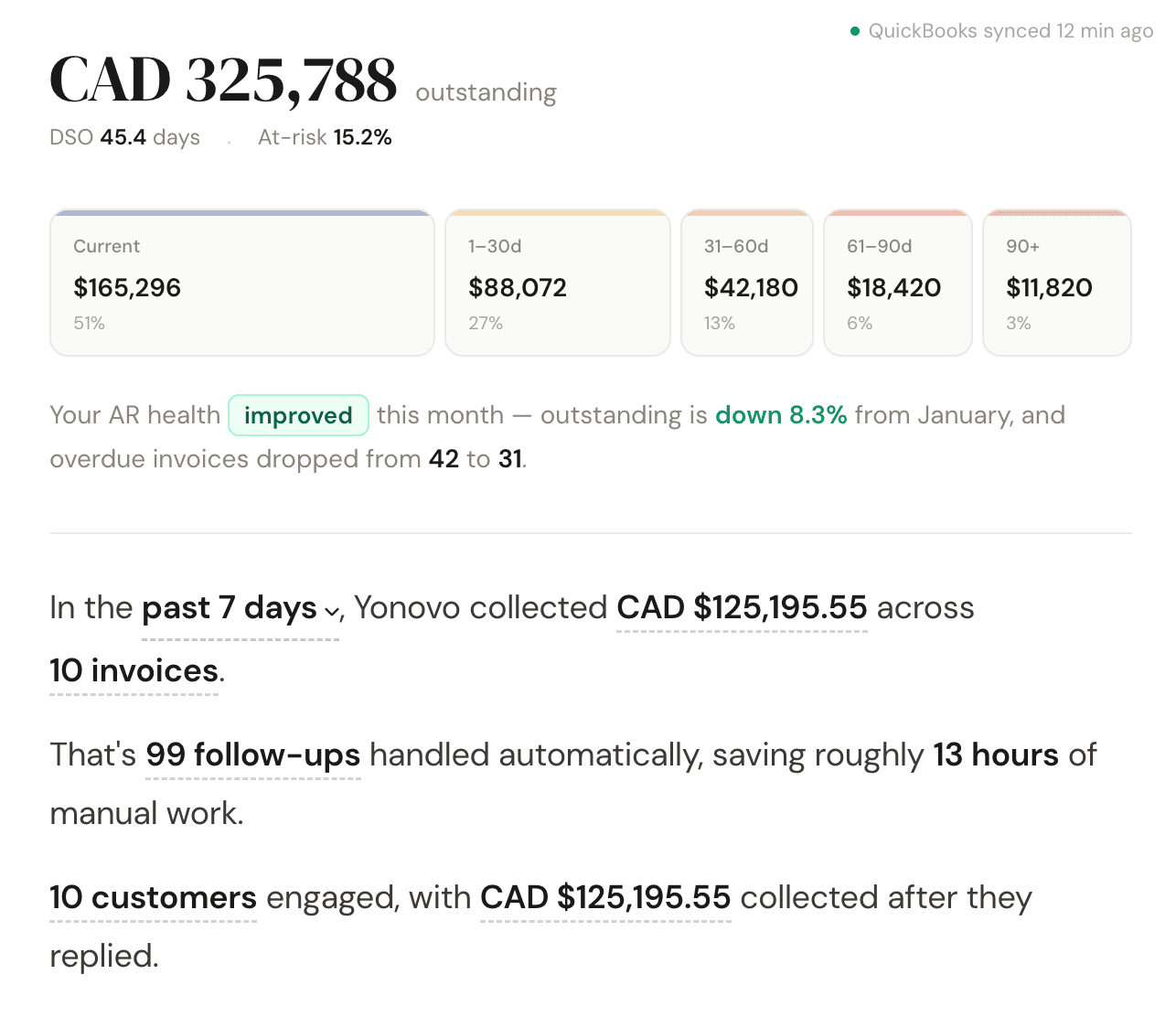
The typical AR platform gives your team a better to do list: dashboards, reminders to send, workflows to configure and babysit. Yonovo takes the list and works it. The follow ups, the calls, the escalations. Your team steps in only where judgment is needed.
The work happens without you
When an invoice goes overdue, Yonovo drafts and sends the follow up, waits the right amount of time, then escalates to the next channel. Email first, then SMS, then a phone call. Every message sends as your business, under your name and brand. Customers never see a third party.
You are not left guessing about cost either. Pricing is a custom quote sized to your company, and every channel is included rather than metered per message.
Your rules, applied consistently
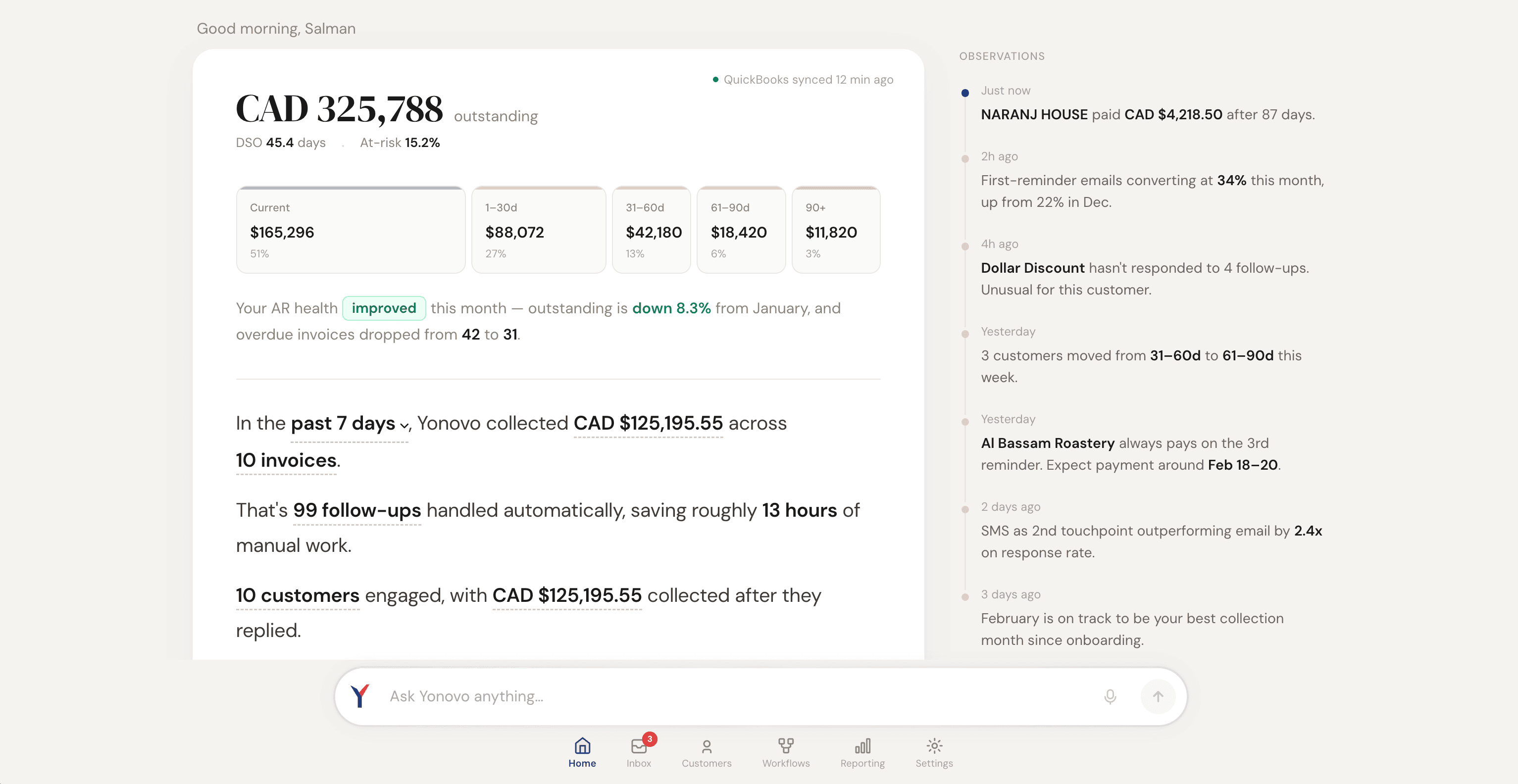
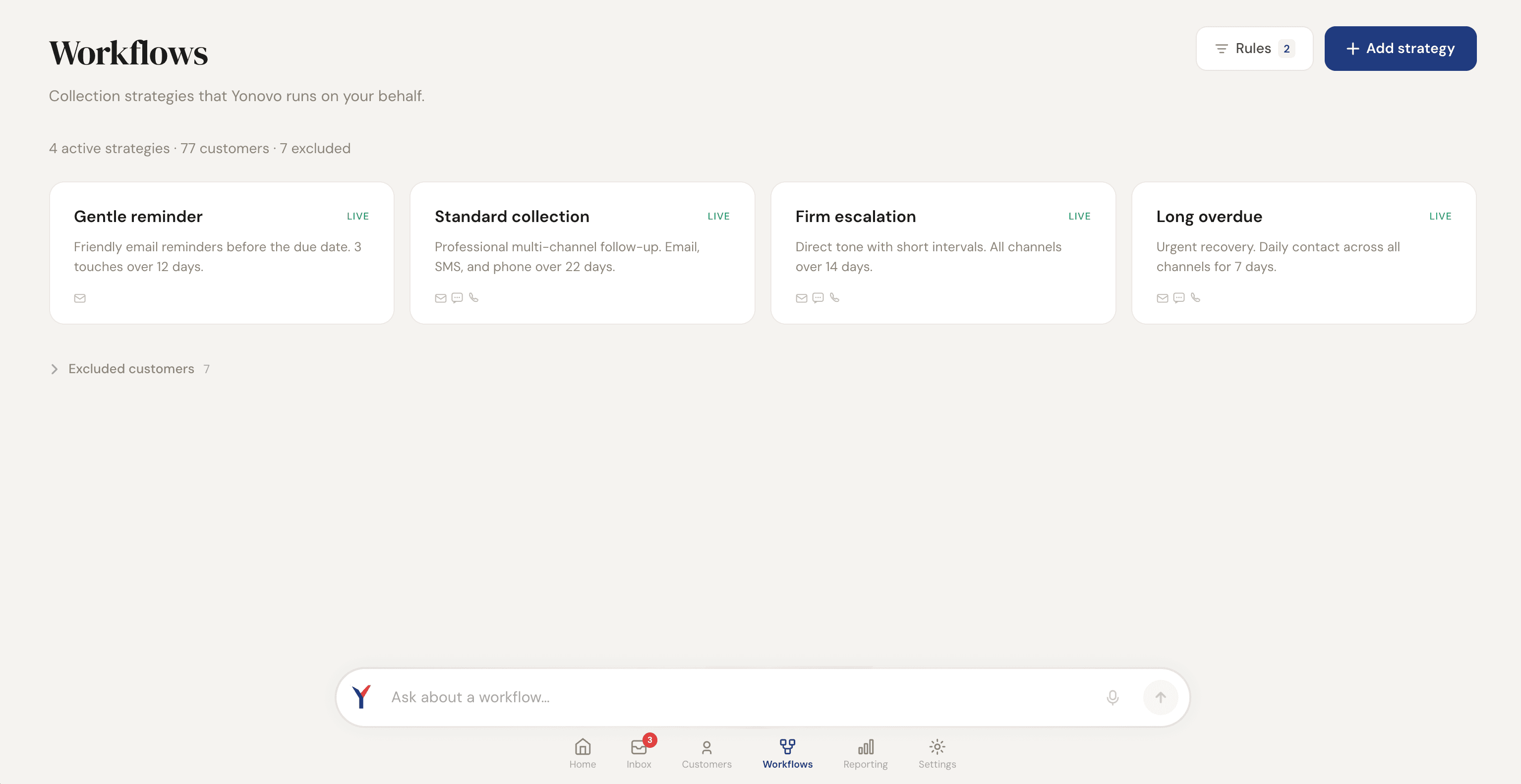
You decide how each customer segment gets treated: when reminders start, how quickly they escalate, which accounts need approval before anything sends. Yonovo then applies those rules on every invoice, every day. No more collections that depend on who remembered to follow up this week.
From connected to collecting in six steps
Connect your accounting system
QuickBooks Online, Xero, NetSuite, Sage Intacct, Odoo, Stripe Billing, or BILL. The connection takes minutes, not a project plan.
Import your receivables
Yonovo pulls in your invoices, customers, and aging, then keeps payment status current so nothing is chased after it is paid.
Set your collection rules
Timing, tone, channels, and which accounts need manual approval before anything goes out. You stay in control of the playbook.
Follow ups go out on schedule
As invoices age, outreach escalates across email, SMS, phone, and WhatsApp. Every message sends under your name and brand.
Judgment calls come to you
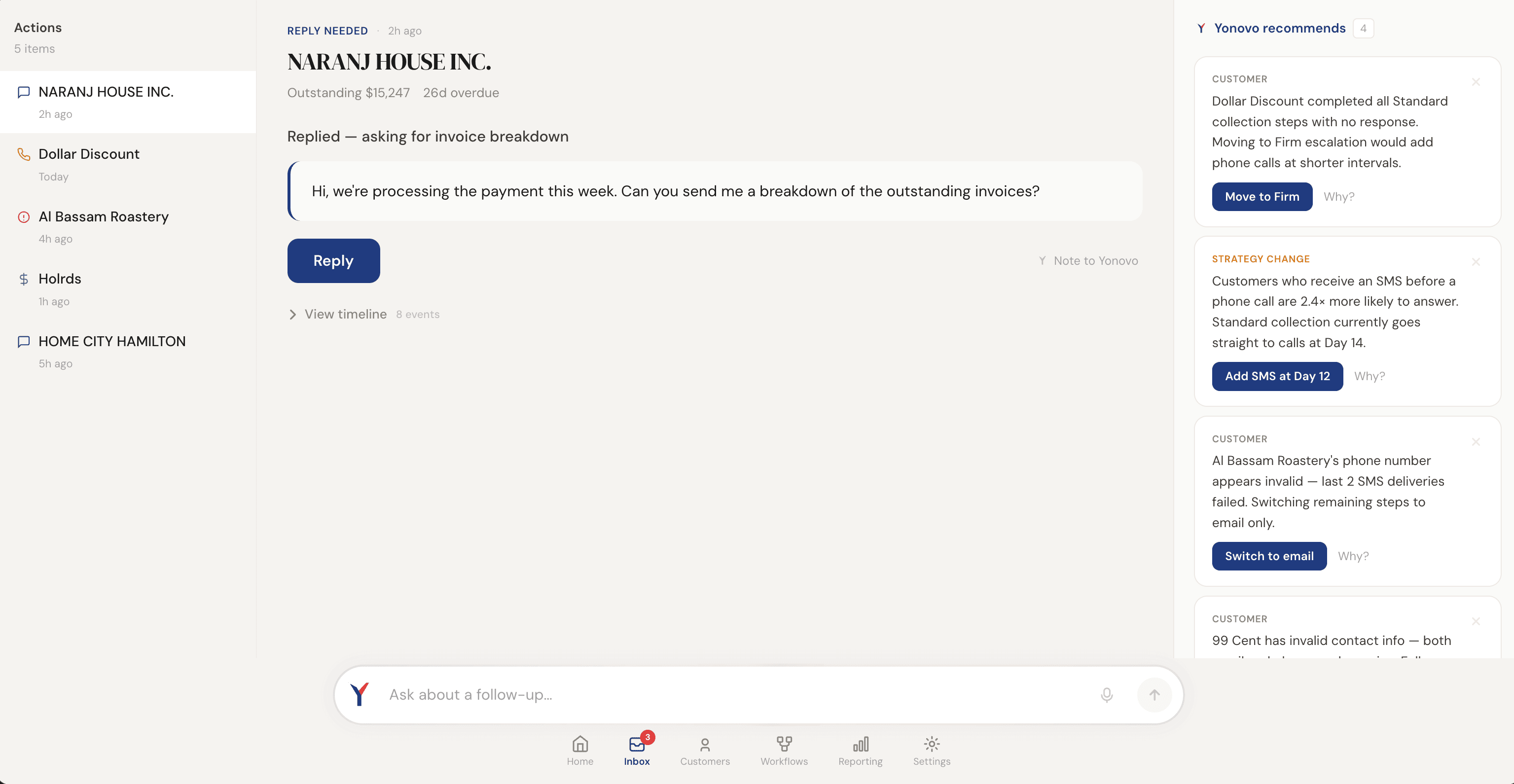
Disputes, partial payments, and sensitive accounts get paused or escalated to your team with full context. No awkward surprises.
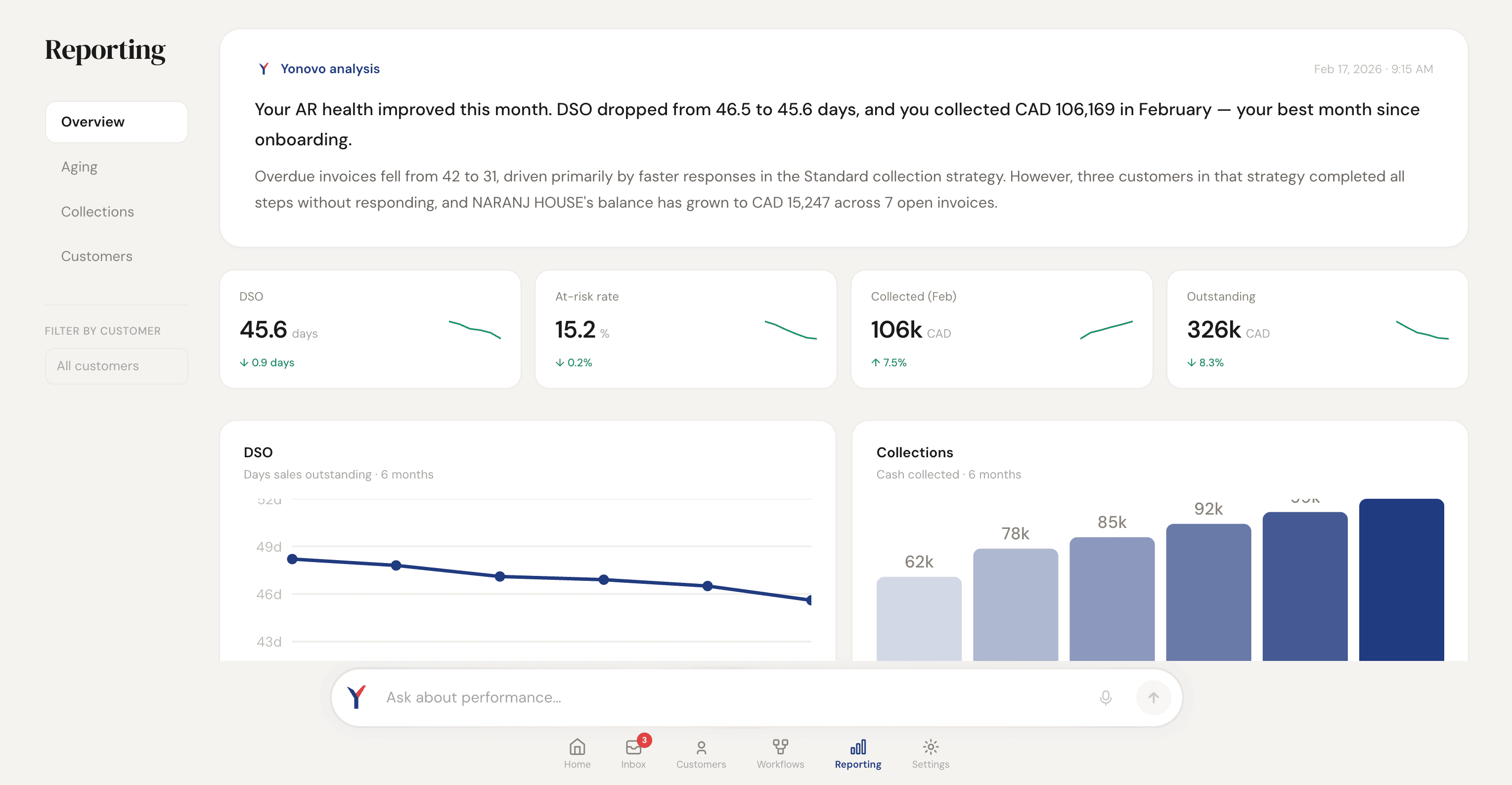
Track it all from one dashboard
Recovery, aging, DSO, and at risk invoices in one place, so you always know where your receivables stand.
What happened when TDG Inc switched
TDG Inc is a wholesale distributor in Toronto running QuickBooks. Within 90 days of connecting Yonovo, here is what changed.
“The most valuable thing Yonovo delivered was giving us our time back. We went from spending hours every day on collections to barely thinking about it. The system just handles it.”

Works with the books you already keep
Yonovo connects to seven accounting and billing systems. Pick yours to see exactly how the integration works.