




Accounts Receivable Collections Software
Trusted by teams who hate chasing payments




What is accounts receivable collections software?
Accounts receivable collections software runs the follow up workflow on unpaid invoices. It tracks how overdue each invoice is, sends payment reminders on a schedule, switches to a new channel when one is ignored, escalates accounts that need human attention, and stops the moment an invoice is paid or disputed. The goal is a collections process that runs the same way every day, whoever is at their desk.
The collections workflow, day by day
This is the schedule that gets invoices paid. Not a philosophy, a calendar. If you run collections today, this should look like your job. If it does not, it is what your job could look like.
| When | Channel | What goes out |
|---|---|---|
| 7 days before due | A friendly heads up. Confirm the invoice was received and catch issues before the due date. | |
| Due date | A clear, professional nudge for same day payment, with the amount and a payment link. | |
| 7 days overdue | State the overdue status plainly, with the invoice number, amount, and due date. | |
| 14 days overdue | Email + SMS | Add a second channel. A text message adds urgency an inbox cannot. |
| 21 days overdue | SMS + phone call | Reach the person directly. A call moves invoices that messages could not. |
| 30 days overdue | Senior contact | Go above your usual contact. A controller or CFO often does not know the invoice is overdue. |
| 45 to 60 days overdue | Final notice | A formal last step before deciding what happens next with the account. |
What each aging bucket means
Not yet due. The goal is to keep it that way with a heads up before the due date.
Early overdue. Highest recovery odds. Consistent reminders do most of the work here.
Needs active follow up. Add channels and start asking what is actually wrong.
Escalation territory. Senior contacts, firmer notices, and human attention.
High write off risk. Decide deliberately: final notice, payment plan, or cut losses.
The clock is not neutral. The probability of collecting a delinquent account falls to 68.9 percent at three months past due and 51.3 percent at six months, per Commercial Collection Agencies of America. Every week of delay costs real money, which you can put a number on with our DSO calculator.
When to switch channels
Two unanswered emails? Add SMS.
If two emails get no reply, the inbox is not working. Around day 14, a text message reaches the same person a different way.
SMS ignored? Pick up the phone.
Around day 21, a phone call is the strongest move left. It is harder to ignore a voice than a notification.
Day 30? Change the audience.
Go over your contact's head to someone senior. A decision maker often has no idea the invoice exists.
For the templates and tone guidance behind each stage, see our guide to invoice reminder best practices.
How Yonovo runs the workflow
The timeline above, applied to every invoice
You set the rules once: timing, tone, channels, and which accounts need approval before anything sends. Yonovo applies them to every invoice, every day, across email, SMS, phone, and WhatsApp. Key accounts can run a softer cadence than smaller ones. Nothing depends on who remembered to follow up.
Invoices that age into serious territory are their own discipline. That side of the job is covered on our debt collection software page.
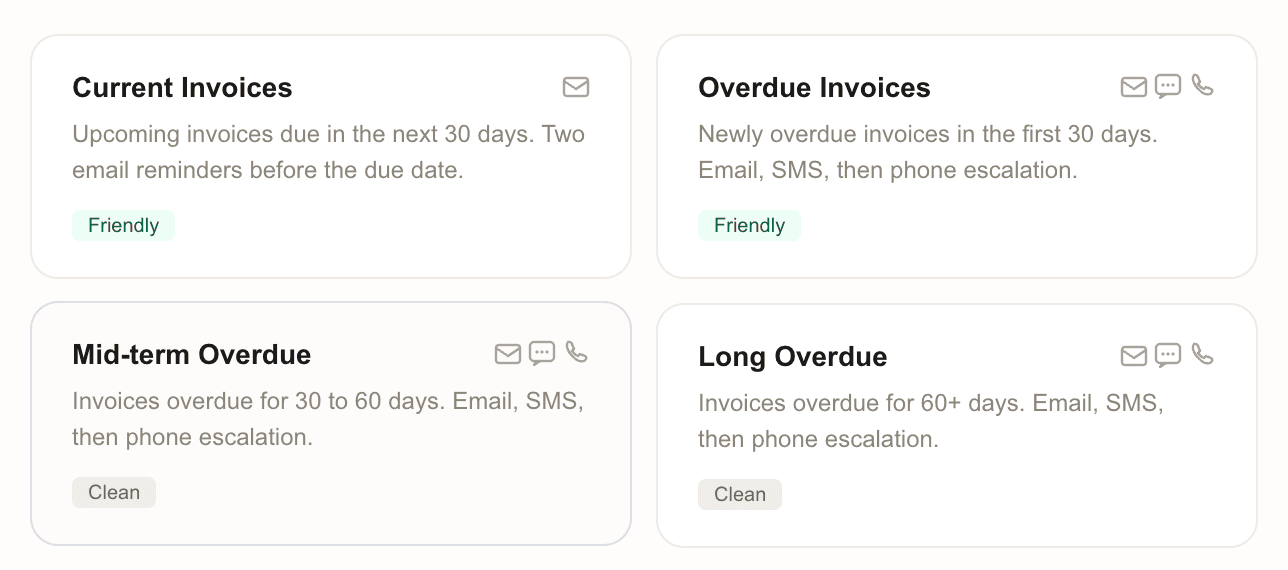
It stops when it should
The mark of good collections software is not what it sends. It is what it does not send. Yonovo checks your ledger before every message and pulls an invoice out of the sequence the moment circumstances change. Chasing a paid invoice costs more goodwill than a late payment ever did.
Reporting and visibility
Outstanding receivables, aging, DSO, recovery rate, at risk invoices, and customer payment behavior, all in one place. Plus a daily briefing in your inbox summarizing what went out and what was recovered.
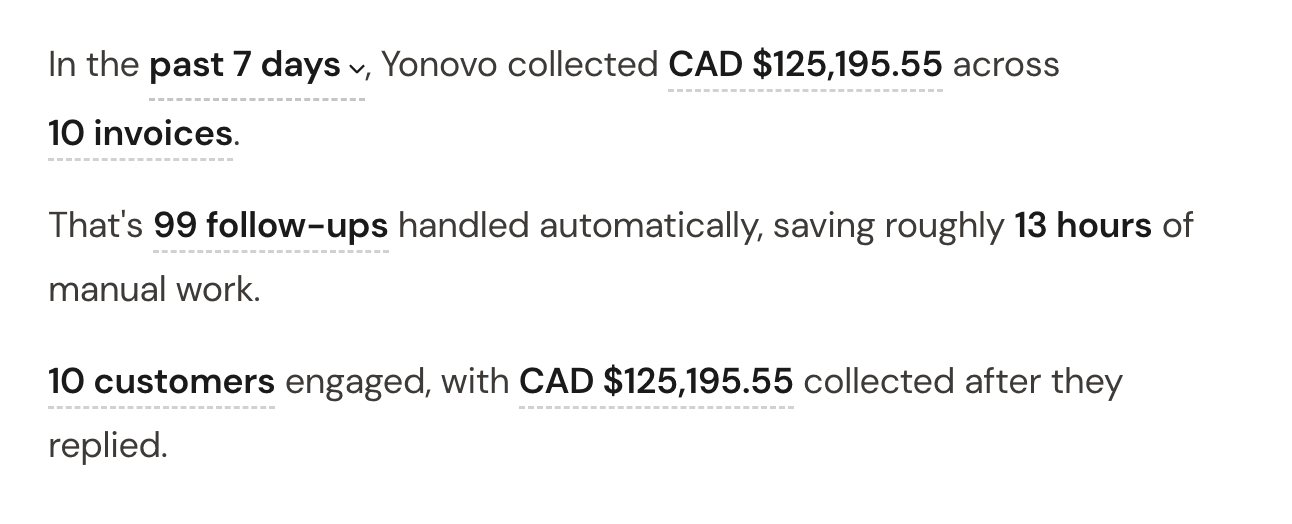
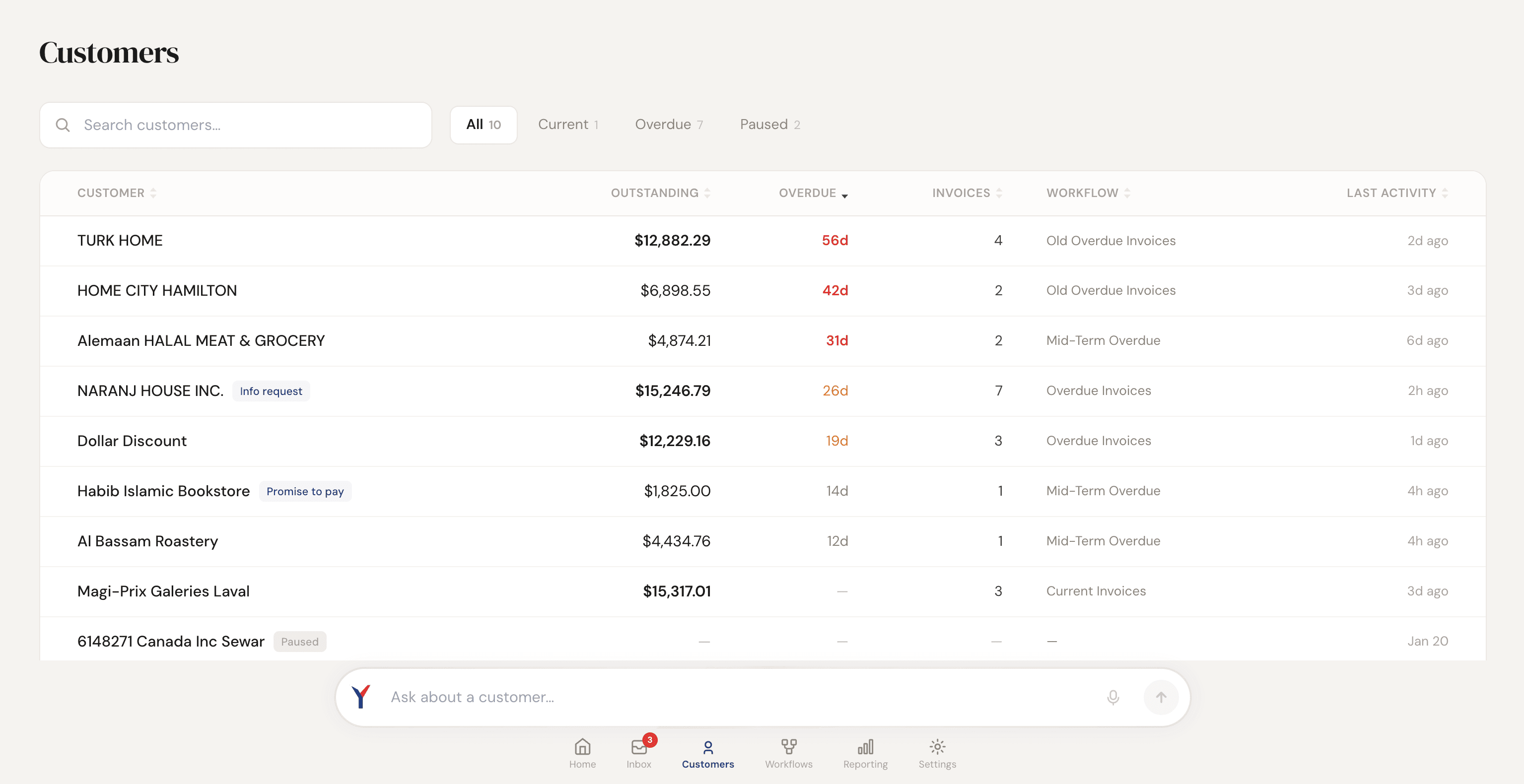
What changed for Troyes
Troyes had no collections process at all. By the end of its first day on Yonovo, it had one.
“We connected QuickBooks in the morning and Yonovo was already sending follow-ups by the afternoon. We went from having nothing to having a full system in a single day.”