


Small businesses can fully automate accounts receivable without IT involvement by using cloud-based AR platforms with native accounting integrations. The entire setup, connecting your QuickBooks, Xero, or other accounting system, configuring follow-up sequences, and going live, typically takes one to two days and requires zero technical expertise. Finance teams that automate AR this way recover 10 to 15 hours per week and reduce DSO by double digits.
Your business has outgrown spreadsheets. Invoices are slipping through the cracks, follow-ups are inconsistent, and your finance team spends more time chasing payments than managing cash flow. You know you need to automate your accounts receivable process. But your company does not have an IT department. There is no developer on staff. The last software implementation you attempted stalled because nobody could configure the integration.
This is the reality for most small B2B businesses. According to the U.S. Small Business Administration, companies with fewer than 100 employees represent over 98% of all U.S. businesses. The vast majority of them run finance operations with small teams that wear multiple hats. Dedicated IT support is a luxury most cannot afford.
The good news: you do not need it. AR automation in 2026 is designed for finance teams, not engineers. The platforms are cloud-based, the integrations are pre-built, and the setup process is something your bookkeeper or controller can handle in a day or two.
Here is exactly how to do it.
Why small businesses hesitate to automate AR
Before diving into the how, it is worth addressing the concerns that keep small businesses stuck on manual processes. Understanding these objections helps you evaluate them honestly rather than letting vague anxiety stall a decision that could recover thousands of dollars in working capital.
"We are too small for automation"
This is the most common objection and the least valid. Automation does not require a minimum invoice volume to be worthwhile. If your team spends even five hours per week on payment follow-ups, aging report updates, and reconciliation, that is 260 hours per year. At a fully loaded cost of $35 per hour for a finance team member, that is over $9,000 annually in labor spent on work that a connected system handles automatically.
For businesses processing 100 to 500 invoices per month, the math becomes even more compelling. Industry benchmarks from Ardent Partners show that the average cost to process a single invoice manually is $10 to $15. Automating that process drops the cost to $2 to $4 per invoice.
"Our accounting system is too basic"
If you are using QuickBooks, Xero, Sage, or Odoo, your accounting system already supports the integrations needed for AR automation. These are the same systems that enterprises use at scale, and they all provide API connections that AR platforms use to sync data in real time. Your accounting software is not the bottleneck. The manual processes built around it are.
"We tried software before and it was a nightmare"
Legacy enterprise software earned this reputation. Implementations that required months of consulting, custom development, and dedicated IT support were the norm a decade ago. Cloud-based AR platforms operate differently. There is no software to install on your servers (you do not have servers). There is no database to configure. The integration is a guided, click-through process that connects your accounting system in minutes and starts syncing data immediately.
What you actually need to get started
The requirements for automating AR at a small business are simpler than most people expect. Here is the complete list.
A cloud-based accounting system
You need your financial data in a system that an AR platform can connect to. If you are already using QuickBooks Online, Xero, Sage Business Cloud, Odoo, or NetSuite, you are set. If you are using desktop software like QuickBooks Desktop, you may need to migrate to the cloud version first, which is a one-time step that your accountant can help with.
Someone who understands your AR process
This is your finance person, the bookkeeper, controller, or AR specialist who currently manages collections. They know which customers pay late, what follow-up cadence works, and what your payment terms look like. This domain knowledge is what matters for configuration, not technical skills.
A decision on your follow-up rules
Before you configure automation, decide how you want follow-ups to work. When should the first reminder go out? How many follow-ups before escalation? Which channels (email, SMS, WhatsApp, voice) for which types of customers? These are business decisions, not technical ones. Your current process, even if it is informal, already contains the answers.
Access to your accounting system admin account
The person setting up the integration needs admin-level access to your accounting software to authorize the connection. This is a one-time step. After the initial connection, the sync runs automatically.
That is the full list. No servers. No developers. No IT infrastructure.
Step-by-step setup without IT
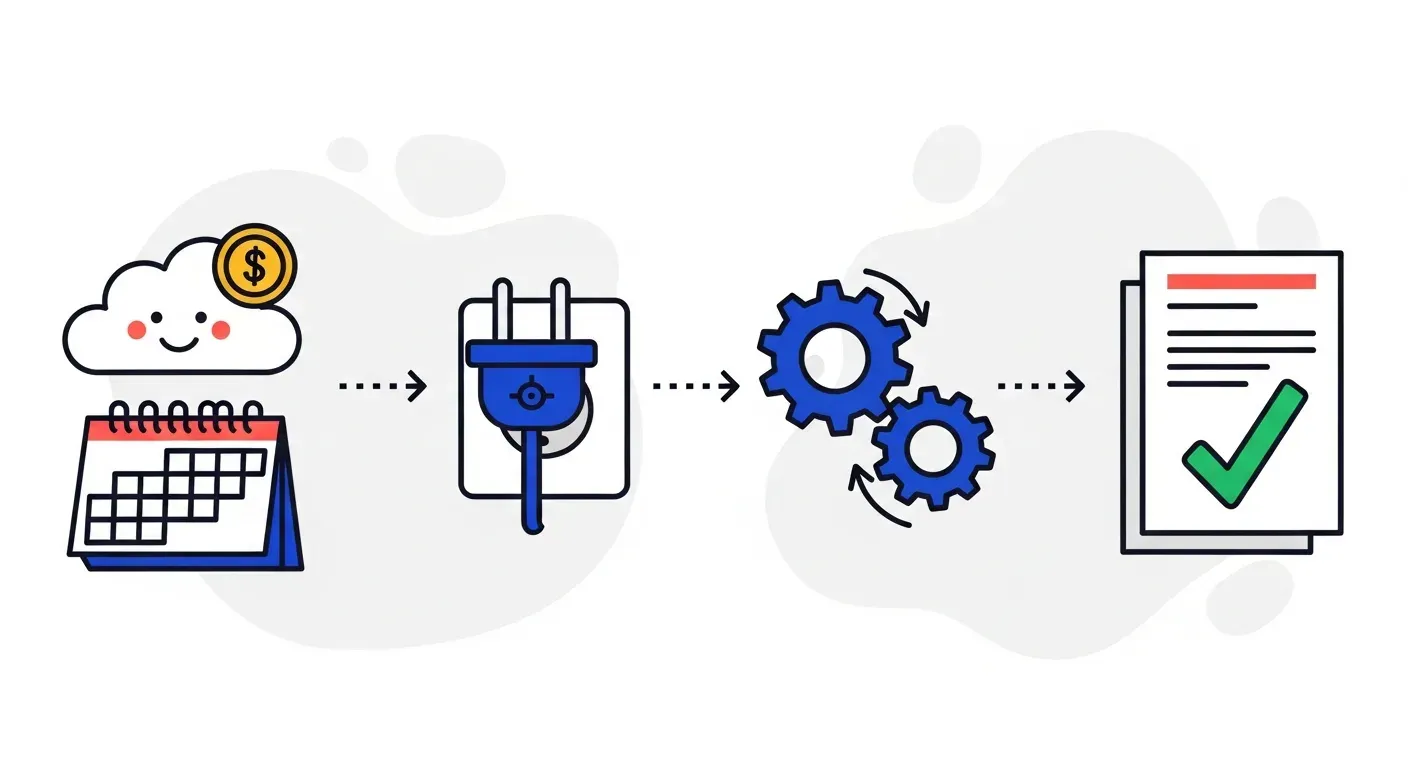
Here is the actual process for going from manual collections to automated AR, based on what small businesses typically experience.
Step 1: Connect your accounting system (30 to 60 minutes)
The integration between your accounting software and your AR platform is pre-built. You are not writing code or configuring APIs. You are clicking an "Authorize" button in your accounting system that grants the AR platform permission to read your invoice and customer data.
The process typically looks like this:
- Log into your AR platform and select your accounting system from a list.
- Click "Connect" and log into your accounting system when prompted.
- Authorize the connection by clicking "Allow" or "Grant Access."
- Wait for the initial sync to pull your open invoices, customer contacts, and payment history.
The initial sync takes anywhere from a few minutes to an hour depending on data volume. Once complete, your AR platform has a real-time mirror of your accounting data. New invoices, payments, and customer updates sync automatically going forward.
Step 2: Review your synced data (1 to 2 hours)
Before configuring automation rules, review the data that came through. Check that your open invoices match what you see in your accounting system. Verify that customer contacts are correct and that payment terms imported properly.
This review step catches any data quality issues in your accounting system that you might not have noticed before. Missing email addresses, outdated contacts, or inconsistent payment terms show up quickly when you see all your AR data in one place.
Fix any issues in your accounting system (the source of truth), and the corrections will sync to your AR platform automatically.
Step 3: Configure your follow-up sequences (2 to 4 hours)
This is the step that replaces your manual follow-up process. You are setting up the rules that determine when and how your customers get contacted about overdue invoices.
A typical small business follow-up sequence might look like this:
- 3 days before due date: Friendly email reminder with invoice attached.
- Due date: Email confirming the invoice is due today.
- 7 days past due: Follow-up email with a firmer tone.
- 14 days past due: SMS message to the AP contact.
- 21 days past due: Second SMS plus email escalation.
- 30 days past due: Automated voice call or WhatsApp message.
- 45 days past due: Escalation alert to your team for manual intervention.
You configure this through a visual interface, selecting triggers, channels, timing, and message templates. No scripting, no logic coding. If you can set up an email autoresponder, you can configure AR follow-up sequences.
Most platforms provide pre-built templates that you can customize for your business. Start with a template, adjust the timing and tone to match your customer relationships, and refine over time based on results.
Step 4: Set customer-specific rules (1 to 2 hours)
Not every customer should get the same follow-up treatment. Your largest customer who occasionally pays a week late deserves a different approach than a new customer who is already 30 days overdue.
Configure rules by customer segment:
- High-value, reliable customers: Longer grace periods, softer tone, fewer automated touchpoints.
- New customers with no payment history: Standard sequence, moderate intensity.
- Customers with a history of late payment: Shorter grace periods, more channels, earlier escalation.
This segmentation is based on your finance team's existing knowledge of your customers. The AR platform applies it consistently, which is the part that manual processes fail at when your team is busy.
Step 5: Go live and monitor (ongoing)
Turn on the automation and watch the first batch of follow-ups go out. Most teams start by running the automated sequence alongside their existing manual process for a week or two, verifying that reminders are going to the right customers at the right times.
Once you are confident the automation is working correctly, stop the manual process. Your team's time shifts from sending reminders and updating spreadsheets to reviewing exceptions, handling disputes, and managing the customer relationships that need human attention.
What changes after automation
The shift from manual to automated AR is not just about saving time on follow-ups. It changes how your finance team operates and what they are able to accomplish.
Follow-ups become consistent
Manual follow-up processes have gaps. When your AR person is on vacation, invoices do not get followed up. When month-end close demands their attention, collections fall behind. When a customer is hard to reach, they get deprioritized in favor of easier wins.
Automated follow-ups run on schedule regardless of who is in the office, what else is happening, and whether the customer responded to the last attempt. Every invoice gets the attention it is owed, every time.
Visibility becomes real-time
When your accounting system and AR platform are connected, your view of outstanding receivables is always current. You do not need to wait for someone to update a spreadsheet. You can see which invoices are open, which are overdue, which customers have been contacted and how they responded, all in real time.
This visibility matters for cash flow forecasting, credit decisions, and prioritizing which overdue invoices need attention first. Small businesses with tight cash positions benefit the most from this immediacy, because knowing today whether a large payment is likely to arrive on time affects decisions you make this week.
Your team does higher-value work
The hours your finance team currently spends on manual data entry, follow-up emails, spreadsheet updates, and payment matching get redirected to work that requires judgment. Dispute resolution. Customer relationship management. Credit analysis. Cash flow planning. These are the activities that protect and grow your business. Copying data between spreadsheets is not.
TDG Inc reduced manual follow-ups by 80% and cut DSO by 15 days within three months of automating their AR process. Troyes went from fully manual to fully automated in a single day. Neither required IT involvement for the implementation.
Common concerns addressed
"What about data security?"
Cloud-based AR platforms use bank-grade encryption for data in transit and at rest. Your data is handled with the same security standards used by your online banking portal. The connection to your accounting system uses OAuth or API tokens, meaning you never share your accounting system password with the AR platform. You can revoke access at any time from your accounting system's settings.
"What if we want to customize something technical later?"
Start with the standard configuration. Most small businesses never need to go beyond what the visual configuration interface provides. If a custom need arises in the future (a unique billing workflow, a specialized report), the platform's support team handles it. You are not locked into a one-size-fits-all setup, but you also do not need to build anything custom to get started.
"Can we handle this alongside everything else our finance team does?"
The setup takes one to two days of focused time, not one to two days of blocked calendar. Your team can do it in between their regular work. After setup, the automation runs on its own. The ongoing time commitment is reviewing the dashboard, handling exceptions, and refining rules based on what you observe. This takes less time than the manual process it replaces from day one.
How to evaluate if you are ready
If you answer yes to two or more of these questions, your business is ready to automate AR without IT help.
- Do you use a cloud-based accounting system? QuickBooks Online, Xero, Sage, Odoo, or NetSuite all qualify.
- Does your team spend more than five hours per week on payment follow-ups? This is the baseline where automation starts paying for itself immediately.
- Have invoices slipped through the cracks in the last quarter? If even one significant invoice was missed because nobody followed up, automation prevents that from happening again.
- Is your AR aging report built in a spreadsheet? If yes, you are maintaining a manual system that could update itself.
- Do you have inconsistent follow-up processes? If different team members handle collections differently, or follow-ups stop when someone is out of office, automation brings consistency.
Most small B2B businesses check three or more of these boxes. The barrier is not readiness. It is the assumption that implementation requires technical resources you do not have.
The cost of waiting
Every month you delay automating AR is a month of avoidable cost. The math is straightforward.
Take your average monthly overdue receivables. Industry data from Atradius shows that B2B companies collect roughly 3% to 5% less of invoices that go past 60 days overdue compared to those followed up within the first week. If you have $200,000 in monthly receivables and 20% are overdue beyond 60 days, that is $40,000 at risk. A 4% reduction in collectibility means $1,600 per month in preventable losses. Over a year, that is $19,200, likely more than the total cost of automating your entire AR process.
Add the labor cost of manual follow-ups (the 10 to 15 hours per week your team spends on tasks that automation handles), and the total annual cost of manual AR easily exceeds $30,000 to $50,000 for a small B2B business.
The businesses that automate sooner recover that value sooner. The ones that wait keep paying it.
Getting started this week
Here is a concrete action plan that gets you from manual to automated within five business days, with zero IT involvement.
Day 1: Evaluate your current process. List every manual step in your AR workflow: invoice creation, follow-ups, payment matching, aging reports, customer updates. Note which steps take the most time.
Day 2: Connect your accounting system to an AR automation platform. This is the one-hour step that unlocks everything else.
Day 3: Configure your follow-up sequences based on your existing process. Use templates as a starting point and customize the timing and tone.
Day 4: Set customer-specific rules and review your synced data for accuracy.
Day 5: Go live. Run automated follow-ups alongside your manual process for the first week, then transition fully.
By the end of the week, your finance team has a connected, automated AR process that runs consistently, provides real-time visibility, and frees up 10 or more hours per week for higher-value work.
If your small business is ready to automate accounts receivable without waiting for IT help that is not coming, book a demo with Yonovo to see how finance teams connect their accounting system and go live in a day.
Frequently Asked Questions
Do I need IT staff to set up AR automation?
No. Modern AR automation platforms are designed for finance teams, not engineers. Setup involves connecting your existing accounting software through a guided, no-code integration, configuring your follow-up rules, and going live. Troyes, a Yonovo customer, went from fully manual collections to fully automated in a single day without any IT involvement.
What accounting systems work with AR automation platforms?
Most AR automation platforms connect natively to popular accounting systems including QuickBooks, Xero, NetSuite, Sage, and Odoo. The integration uses secure API connections that sync your invoices, customer contacts, and payment data automatically. No custom development or middleware is required.
How long does it take a small business to implement AR automation?
Most small businesses are fully operational within one to two days. The process involves three steps: connecting your accounting system (usually under an hour), configuring your follow-up sequences and rules (a few hours), and reviewing the initial sync to confirm everything looks correct. No data migration, server setup, or coding is needed.
Will AR automation work if I only have a few hundred invoices per month?
Yes. AR automation is not just for enterprise-scale invoice volumes. Even with 50 to 200 invoices per month, automation eliminates hours of manual follow-up, ensures no invoice falls through the cracks, and gives you real-time visibility into your cash position. The ROI scales with the time your team currently spends chasing payments manually.
What if something goes wrong and I do not have IT support to fix it?
Cloud-based AR platforms handle all technical maintenance, updates, and infrastructure. If an integration issue arises, the platform's support team resolves it. Your finance team manages the business rules, follow-up sequences, and customer communications through a visual interface. There is nothing to troubleshoot at a technical level.