


The best way to track unpaid invoices is an automated AR aging dashboard connected to your accounting system, not a spreadsheet. Spreadsheets go stale within hours, hide at-risk invoices, and force your team into manual follow-up cycles. An AI-powered AR platform syncs your invoice data in real time, segments overdue accounts by risk and aging bucket, and triggers multi-channel follow-ups automatically. Companies that move from manual tracking to automated visibility typically see significant DSO reductions and recover staff hours previously spent on data wrangling.
Your CFO asks a simple question: "How much is overdue right now?" If the answer requires opening a spreadsheet, cross-referencing your accounting system, and spending 20 minutes pulling numbers together, your invoice tracking process is a problem.
Unpaid invoices are not just an accounting inconvenience. They are trapped working capital. According to Atradius, 55% of all B2B invoices in the United States are paid late, and the average B2B company has 24% of its receivables sitting past due at any given time. The difference between companies that collect efficiently and those that do not usually comes down to one thing: visibility. Specifically, how quickly and accurately they can see what is owed, by whom, and for how long.
This guide covers the methods B2B finance teams use to track unpaid invoices, why most of them fall short, and what the best approach looks like in practice.
The AR aging report: your foundation
Every unpaid invoice tracking system starts with the AR aging report. This is the single most important document in your collections process.
An aging report groups your outstanding invoices into time-based buckets:
- Current: not yet due
- 1 to 30 days past due: early overdue, highest recovery probability
- 31 to 60 days past due: needs active follow-up
- 61 to 90 days past due: escalation territory
- 90+ days past due: high write-off risk
The value of aging buckets is not just organization. It is prioritization. Research from the Commercial Collection Agency Association shows that the probability of collecting a delinquent account drops to 73% after three months and falls below 50% after six months. Every day an invoice sits in a higher aging bucket, your expected recovery declines.
The problem is not that finance teams lack aging reports. Most accounting systems generate them. The problem is that the reports are static, delayed, and disconnected from action.
Why spreadsheets fail at scale
Many B2B finance teams still track unpaid invoices in spreadsheets. For a company with 20 or 30 outstanding invoices, this can work. For anything beyond that, spreadsheets create more problems than they solve.
The staleness problem
A spreadsheet is accurate at the moment you finish updating it, and begins degrading immediately. A customer pays an invoice at 2 PM, but the spreadsheet does not reflect it until someone manually updates it the next morning. In the meantime, your team might send a follow-up on an invoice that has already been paid, damaging the customer relationship and wasting staff time.
This staleness compounds across the team. If three people are working from the same spreadsheet and one of them updates it while another has it open, you get version conflicts. If they are working from separate copies, you get divergent data. Either way, nobody trusts the numbers.
The blind spot problem
Spreadsheets show you what you put into them. They do not alert you to what you missed. An invoice that was never entered, a payment that was applied incorrectly, a customer who has gone from 30 days overdue to 60 with no follow-up activity. These gaps are invisible in a spreadsheet because a spreadsheet has no concept of what "should" be there.
Automated AR platforms work the other way around. They start with the complete set of invoices from your accounting system and flag anything that deviates from expected behavior. Nothing falls through the cracks because the system starts with everything and filters down, rather than starting with nothing and building up.
The action gap
The biggest limitation of spreadsheet tracking is that it separates visibility from action. You can see that an invoice is 45 days overdue in your spreadsheet, but then you have to switch to email to send a reminder, switch to your phone to make a call, and switch back to the spreadsheet to log what happened. Each context switch loses time and creates opportunities for things to fall through.
An integrated AR platform closes this gap. The same system that shows you the overdue invoice can send the follow-up email, log the interaction, schedule the next touch, and update the aging report, all without your team switching tools.
What effective invoice tracking actually looks like
The best unpaid invoice tracking systems share four characteristics that spreadsheets and basic accounting reports cannot deliver.
Real-time sync with your accounting system
Your aging data should update the moment something changes in your accounting system. When a payment is recorded in QuickBooks, Xero, NetSuite, Sage, or Odoo, your tracking dashboard should reflect it immediately. No manual exports, no CSV uploads, no reconciliation delays.
This real-time sync eliminates the most common source of AR team frustration: chasing invoices that have already been paid. It also means your aging report is always current, so any report you pull at any moment is accurate enough to act on.
Risk-based prioritization
Not all overdue invoices deserve equal attention. A $500 invoice that is 10 days past due from a customer with a perfect payment history is a very different situation than a $50,000 invoice that is 45 days past due from a customer who has disputed invoices before.
Effective tracking systems score open invoices by collection risk, factoring in the amount, the aging bucket, the customer's payment history, their recent communication responsiveness, and any dispute signals. Your team works the highest-risk invoices first, not just the oldest or largest ones.
Automated follow-up triggers
Tracking unpaid invoices is only useful if it leads to action. The best systems do not just show you what is overdue. They act on it automatically.
A well-configured AR platform sends the first reminder email on the day an invoice becomes overdue. If there is no response after three days, it sends a follow-up via a different channel. If the invoice reaches 30 days overdue, it escalates to a phone call or SMS. Each escalation follows a schedule you define, adjusted by customer segment and risk profile.
This is where multi-channel capabilities matter. Some customers respond to email. Others ignore email but respond to a text message within minutes. Others will only engage on a phone call. An AR platform that reaches customers across email, SMS, voice, and WhatsApp covers all of these preferences without your team manually choosing the right channel for each account.
Complete audit trail
Every interaction related to an unpaid invoice should be logged automatically: when the reminder was sent, whether it was opened, when the customer responded, what they said, and what action your team took. This audit trail serves three purposes.
First, it prevents duplicate outreach. Your team can see at a glance that a colleague already called this customer yesterday, so they do not call again today.
Second, it supports escalation decisions. When an invoice reaches 60 or 90 days and you need to involve leadership or consider external collections, the full history of outreach attempts and customer responses is already documented.
Third, it protects you if a payment dispute arises. You have a timestamped record of every communication, which is essential for resolving disputes fairly and efficiently.
How to set up your tracking system
Moving from spreadsheets or basic accounting reports to a proper unpaid invoice tracking system does not have to be a multi-month project. Here is a practical path.
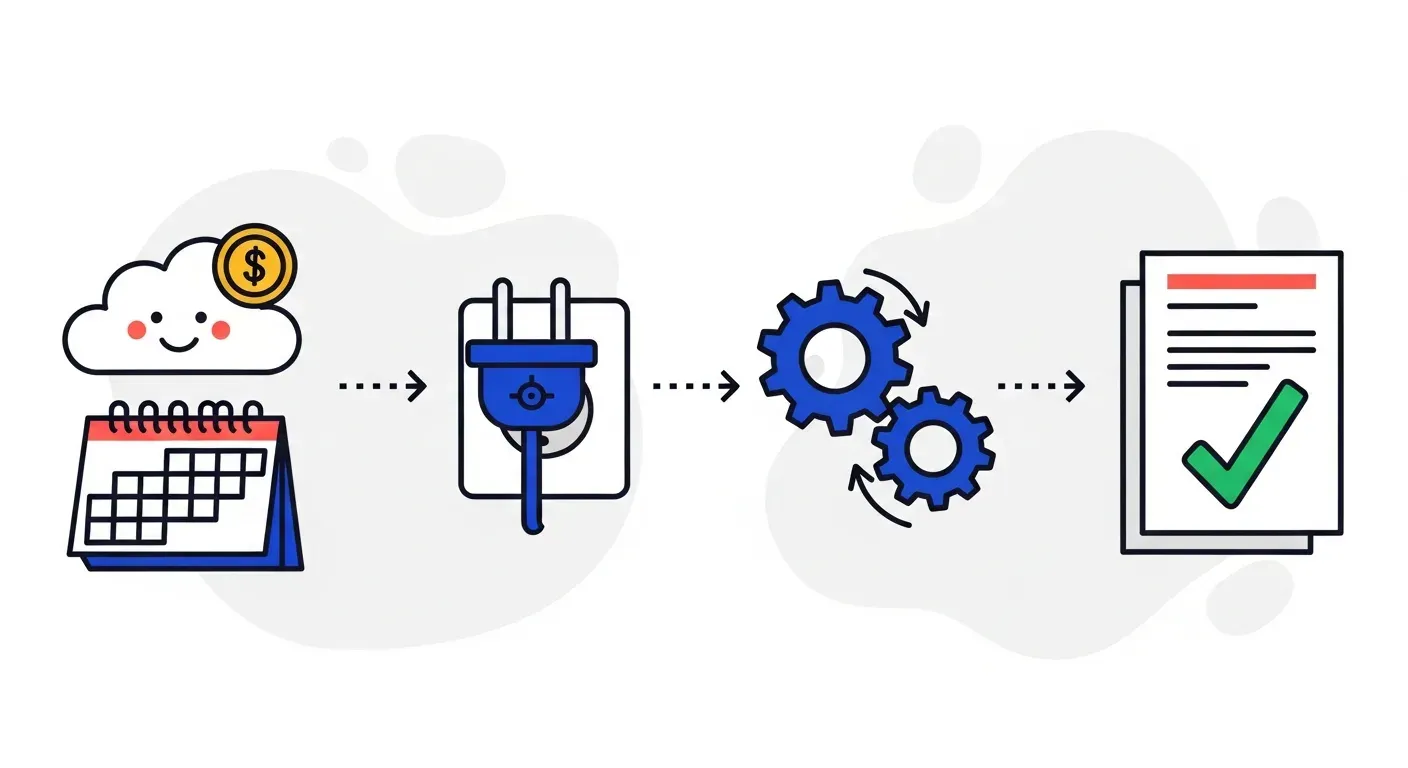
Step 1: Connect your accounting system
The foundation is integration. Connect your accounting platform to an AR automation tool so that invoice and payment data flows in real time. This eliminates manual data entry and ensures your tracking system starts with a complete, accurate picture of your receivables.
Companies like Troyes went from fully manual to fully automated in a single day by connecting their accounting system and letting the platform handle monitoring and follow-ups. The technical integration is straightforward because modern AR platforms are designed to work with the accounting systems B2B companies already use.
Step 2: Define your aging buckets and escalation rules
Decide how you want to segment your overdue invoices and what should happen at each stage. A typical setup looks like this:
- Day 1 past due: automated email reminder
- Day 7: second email with a different subject line
- Day 14: SMS or WhatsApp message
- Day 30: phone call from your AR team
- Day 45: escalation to a manager or senior contact at the customer
- Day 60+: formal demand or collections referral
These rules should be adjustable by customer segment. A long-standing customer with a temporary cash flow issue might get more lenient timing than a new customer with no payment history.
Step 3: Set up your dashboard
Configure a dashboard that gives you the metrics that matter at a glance:
- Total outstanding AR by aging bucket
- Number of invoices in each bucket
- Top overdue accounts by dollar value
- Follow-up activity (reminders sent, responses received, calls made)
- DSO trend over the past 30, 60, and 90 days
- Collection rate by aging bucket
This dashboard replaces the weekly aging report that someone on your team currently spends an hour pulling together. It is always current, always accessible, and requires zero manual effort to maintain.
Step 4: Review and optimize
After the first month, review your results. Which follow-up sequences are getting the best response rates? Are there customer segments that need different escalation timing? Are certain aging buckets growing instead of shrinking?
TDG Inc reduced manual follow-ups by 80% and cut DSO by 15 days within three months by connecting their accounting system and letting automated workflows handle the routine follow-up work. The key was not just setting up the system but reviewing the data it produced and adjusting the approach based on what worked.
Common invoice tracking mistakes to avoid
Even with the right tools, there are patterns that undermine effective unpaid invoice tracking.
Treating all overdue invoices the same
A $200 invoice from a reliable customer that is 5 days late does not need the same urgency as a $25,000 invoice from a new customer that is 40 days late. Without risk-based prioritization, your team either over-invests time on low-risk invoices or misses high-risk ones because they are buried in the volume.
Tracking without acting
Some teams build elaborate tracking systems but do not follow through with consistent outreach. The best aging report in the world does not collect money. Action collects money. If your tracking system does not connect directly to your follow-up process, it is just a prettier spreadsheet.
Ignoring the data your tracking system produces
Your unpaid invoice data tells a story. If 60% of your overdue balance comes from five customers, that is a concentration risk worth addressing. If invoices from a particular product line are consistently paid late, there may be a process issue upstream. If DSO is creeping up quarter over quarter despite growing revenue, your collections process needs attention. Use the data. Do not just look at it.
Waiting too long to follow up
PYMNTS research shows that the probability of collecting the full amount on a past-due invoice drops significantly after the first 30 days. Yet many finance teams wait until an invoice is 30 or even 60 days overdue before taking any action beyond the initial invoice delivery. By then, you have already lost your best window for collection.
The fix is simple: start follow-up on day one. An automated reminder on the due date is not aggressive. It is professional. It signals that your company takes its receivables seriously and that invoices will not be forgotten.
The role of multi-channel follow-ups
One of the most significant improvements in unpaid invoice tracking over the past few years is multi-channel outreach. Traditional AR follow-up relied on email and occasional phone calls. Modern platforms add SMS, voice, and WhatsApp to the mix.
Why does this matter? Because different customers respond to different channels, and the same customer may respond to different channels at different times. A procurement manager who ignores email during a busy week might respond to a brief WhatsApp message within minutes. A small business owner who does not pick up calls from unknown numbers might read and respond to a text immediately.
The data supports this. Research from Juniper found that SMS messages have a 98% open rate compared to roughly 20% for email. For invoice follow-ups specifically, adding SMS and WhatsApp to the communication mix increases response rates because you are meeting customers where they are already active.
An effective tracking system integrates follow-up activity across all channels into a single view. Your team should not have to check email, then SMS, then call logs to understand where things stand with a particular customer. Everything related to that customer's unpaid invoices should be visible in one place.
Connecting tracking to the bigger AR picture
Unpaid invoice tracking is not an isolated function. It connects directly to your broader AR performance:
- Cash flow management. Real-time visibility into unpaid invoices makes your cash flow forecasts more reliable. You can see exactly how much is overdue, how much is at risk, and how much you can reasonably expect to collect in the next 30 days.
- Reconciliation. When payments come in, automated matching against outstanding invoices eliminates the manual reconciliation work that consumes hours of AR staff time every week.
- Customer health monitoring. Payment behavior is one of the strongest signals of customer relationship health. A customer who starts paying late may be experiencing financial difficulty, may be unhappy with your product or service, or may be considering switching vendors. Early visibility into these patterns lets you intervene before you lose the customer.
- Strategic reporting. Leadership needs AR data for working capital planning, credit decisions, and revenue forecasting. A tracking system that produces reliable, real-time data feeds these strategic functions without requiring your AR team to build custom reports.
For manufacturing and wholesale distribution companies with high invoice volumes and thin margins, effective tracking directly impacts profitability. For professional services and software companies with fewer but higher-value invoices, it reduces the risk of a single large receivable going bad.
Stop tracking invoices manually. Start collecting them.
The best way to track unpaid invoices is a system that does more than track. It acts. An AR platform connected to your accounting system gives you real-time aging visibility, risk-based prioritization, automated multi-channel follow-ups, and a complete audit trail of every interaction. Your team spends less time updating spreadsheets and more time on the judgment calls that actually move the needle.
If your current process involves spreadsheets, manual reminders, or aging reports that are outdated before you finish pulling them, book a demo with Yonovo to see how automated invoice tracking and intelligent follow-ups can reduce your DSO and get your team out of the data-wrangling business.
Frequently Asked Questions
What is an AR aging report and why does it matter?
An AR aging report groups your outstanding invoices by how long they have been overdue, typically in buckets like current, 1 to 30 days, 31 to 60 days, 61 to 90 days, and over 90 days. It matters because it gives your finance team a snapshot of collection risk. The longer an invoice sits unpaid, the less likely it is to be collected in full. An accurate, up-to-date aging report helps you prioritize follow-ups and spot cash flow problems before they escalate.
Why are spreadsheets bad for tracking unpaid invoices?
Spreadsheets require manual updates, which means they are outdated the moment someone makes a payment or raises a dispute. They also lack built-in alerting, so overdue invoices can slip through the cracks. Version control is a problem when multiple team members edit the same file. And spreadsheets cannot trigger follow-up actions like emails or SMS reminders automatically. For a handful of invoices they work, but at any real volume they become a liability.
How does automated invoice tracking reduce DSO?
Automated tracking reduces DSO in three ways. First, it ensures no overdue invoice goes unnoticed, which eliminates the gap between an invoice becoming overdue and your team acting on it. Second, it triggers follow-up reminders on a consistent schedule across email, SMS, voice, and WhatsApp, which increases the chance of prompt payment. Third, it gives you real-time visibility into your aging profile so you can reallocate effort toward the highest-risk accounts instead of treating all overdue invoices equally.
Can I track unpaid invoices across multiple accounting systems?
Yes. AR automation platforms like Yonovo integrate with QuickBooks, Xero, NetSuite, Sage, Odoo, and other accounting systems. This means you can track unpaid invoices across all your entities or subsidiaries in a single dashboard, even if they use different accounting software. The platform syncs invoice and payment data in real time, so your aging reports are always current regardless of where the data originates.
What should I do when an invoice reaches 60 days overdue?
At 60 days overdue, you should escalate the follow-up. This means moving beyond standard email reminders to phone calls or direct outreach. Review the account for any dispute signals or partial payments that might explain the delay. Consider whether the customer needs a payment plan. And document every interaction, because if the invoice eventually goes to collections or legal, you will need a clear record. An automated AR platform handles this escalation logic for you based on rules you define.