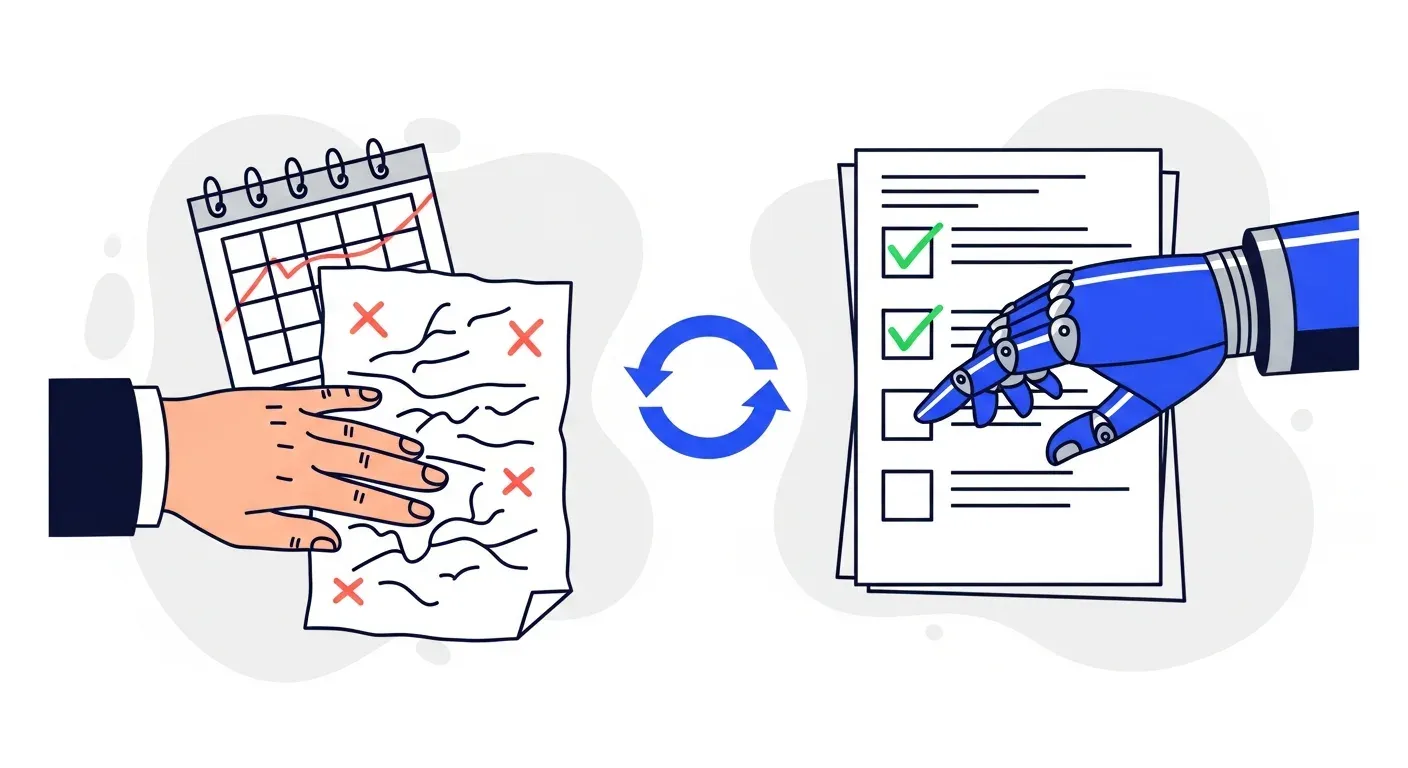




You are still doing manual reconciliations because your accounting system and your AR process are not connected in real time. Most B2B finance teams reconcile manually out of habit, tool fragmentation, or the belief that automation is too complex for their setup. In reality, modern AR platforms sync directly with QuickBooks, Xero, NetSuite, Sage, and Odoo to match payments, flag exceptions, and update records automatically. Teams that switch to real-time reconciliation recover 8 to 12 hours per week and eliminate the data lag that causes duplicate follow-ups and inaccurate aging reports.
It is 3 PM on a Tuesday. You are sitting in front of two screens. One has your bank statement. The other has your accounting system. You are scrolling through both, line by line, matching payments to invoices. A $14,200 deposit has no reference number. A $7,500 payment covers three invoices but only mentions one. Someone paid $9,980 against a $10,000 invoice and you need to figure out if the $20 difference is a discount, a short pay, or a mistake.
You have been doing this for years. You know it is slow. You suspect there is a better way. And yet, here you are.
You are not alone. According to research from the Institute of Finance and Management, more than 60% of B2B finance teams still rely on manual or semi-manual processes for payment reconciliation. This is despite the fact that the tools to automate it have existed for years and continue to improve. The question is not whether better options exist. The question is why so many teams have not made the switch.
The real reasons manual reconciliation persists
The obstacles keeping finance teams on manual reconciliation are rarely technical. They are organizational, psychological, and structural. Understanding them is the first step toward eliminating them.
Your systems are not talking to each other
The most common root cause is tool fragmentation. Your invoices live in your accounting system. Your payments come through your bank. Your AR tracking might be in a spreadsheet, a separate collections tool, or the notes field of your accounting software. Each system holds part of the picture, but none of them hold the whole picture.
When these systems are disconnected, someone on your team becomes the integration layer. They pull data from the bank, open the accounting system, cross-reference invoice numbers, and update records manually. This person is doing the work that an API connection between systems would handle in seconds.
The irony is that most accounting systems already support the integrations needed to eliminate this manual step. QuickBooks, Xero, NetSuite, Sage, and Odoo all provide API connections that AR platforms use to sync data in real time. The technology is ready. The connection just has not been made.
"We have always done it this way"
Institutional inertia is powerful. If your reconciliation process has worked (in the sense that invoices eventually get matched and the books eventually close), there is little urgency to change it. The process is painful but familiar. The risks of continuing are diffuse and gradual. The perceived risks of changing are immediate and concrete.
This is compounded by the fact that reconciliation often falls to your most experienced AR person. They know the customers, the patterns, and the quirks. They can spot a partial payment from a regular customer and know immediately which invoices it covers. This expertise is genuinely valuable. But it is also a single point of failure. When that person is on vacation, sick, or leaves the company, the reconciliation process slows to a crawl or stops entirely.
Fear of automation errors
Finance teams are understandably cautious about automating anything that touches the books. A misapplied payment creates cascading problems: incorrect aging reports, wrong follow-up emails sent to customers who already paid, and inaccurate cash flow forecasts. The concern is that automation will match payments incorrectly and create more work than it saves.
This concern made sense a decade ago when automated matching relied on exact invoice number lookups and broke on any variation. It is far less relevant today. Modern payment matching systems use multiple data points (amounts, dates, customer history, reference patterns) to match with high confidence, and they route uncertain matches to a human review queue rather than guessing. The result is that your team handles only the exceptions that genuinely need judgment, instead of reviewing every single transaction.
"Our data is too messy"
Many teams believe their payment data is too inconsistent for automation. Customers pay via different methods. Some include invoice numbers, some do not. Some pay multiple invoices in a single transfer. Some round amounts or deduct unauthorized discounts.
This is actually the strongest argument for automation, not against it. The messier your payment data, the more time your team spends untangling it manually, and the more value automation delivers. The edge cases that feel too complex for a system to handle are exactly the cases where pattern recognition and historical matching outperform a human scrolling through spreadsheets.
What manual reconciliation actually costs
The direct labor cost of manual reconciliation is significant, but it is not the biggest cost. The real expense is in what you cannot see: the downstream effects of slow, error-prone matching.
Time that compounds
Industry benchmarks from the Credit Research Foundation show that AR teams spend 30% to 50% of their time on cash application and reconciliation. For a team of three people, that is the equivalent of one full-time employee doing nothing but matching payments to invoices.
At a fully loaded cost of $55,000 to $75,000 per year for an AR specialist, you are spending that amount on a task that connected systems handle automatically. For smaller teams where one person handles all of AR, the percentage of their time consumed by reconciliation is even higher.
But the cost goes beyond salary. Every hour your AR team spends on reconciliation is an hour they are not spending on collections follow-up, dispute resolution, or cash flow analysis. These are the activities that directly affect how quickly you get paid and how much of your receivables you actually collect.
Data lag creates real problems
Manual reconciliation is inherently batch-oriented. Most teams reconcile daily or weekly. Some do it only at month-end. During the gap between when a payment arrives and when it is matched, your AR data is wrong.
This data lag creates several problems:
- Duplicate follow-ups. Your automated reminder system (or your AR person) sends a payment reminder to a customer who already paid because the payment has not been matched yet. This is embarrassing and damages the customer relationship.
- Inaccurate aging reports. Your AR aging report shows invoices as overdue when they have actually been paid. This distorts your DSO calculation, affects cash flow forecasting, and can trigger unnecessary escalation procedures.
- Delayed exception handling. A partial payment or disputed amount sits unresolved until the next reconciliation cycle. The longer exceptions sit, the harder they are to resolve because details fade and contacts become harder to reach.
- Poor visibility for leadership. When your CFO or controller asks about the current cash position, the answer is always qualified: "as of the last reconciliation." Real-time visibility requires real-time matching.
Errors that multiply
Manual data entry has a well-documented error rate of 1% to 5% per field. When you are manually matching hundreds of payments per month, entering amounts, selecting invoice numbers, and recording dates, the math works against you. Even at a 1% error rate across thousands of data points, you are generating dozens of mismatches per month that someone then needs to find and fix.
These errors compound. A misapplied payment leads to an incorrect aging report, which leads to a wrong follow-up, which leads to a customer complaint, which requires investigation and correction. One keying error can consume an hour or more of rework downstream.
What real-time reconciliation looks like
The alternative to manual reconciliation is not a better spreadsheet or a faster person. It is a connected system where payments are matched to invoices as they arrive, exceptions are flagged immediately, and your AR data is always current.
How it works
When your accounting system is connected to an AR platform through a native integration, the reconciliation process changes fundamentally.
- Payments sync automatically. As payments post to your accounting system, they are visible to the AR platform immediately. No exports, no imports, no copy-paste.
- Matching happens in real time. The system compares incoming payments against open invoices using amount, customer, date, reference number, and historical patterns. High-confidence matches are applied automatically. Low-confidence matches are queued for review.
- Exceptions surface immediately. Partial payments, overpayments, missing references, and mismatches are flagged the moment they occur, not days or weeks later when someone gets around to reconciling.
- Follow-ups stay accurate. Because payment matching is real time, your follow-up sequences always reflect the current state of each invoice. No reminders sent to customers who already paid. No invoices showing as overdue when they are actually settled.
- Records update in both directions. When a payment is matched in the AR platform, the status syncs back to your accounting system. One source of truth, always current.
What your team actually does
In a real-time reconciliation workflow, your AR team's role shifts from data matching to exception management. Instead of reviewing every payment, they review only the ones the system could not match with high confidence. This is typically 5% to 15% of total payments, the genuinely ambiguous cases that benefit from human judgment.
The rest of their time goes to work that moves the needle on collections: following up on overdue invoices, resolving disputes, managing customer relationships, and providing accurate cash flow data to leadership.
TDG Inc reduced manual follow-ups by 80% and cut DSO by 15 days within three months after connecting their accounting system to an automated AR platform. Troyes went from fully manual to fully automated in a single day. In both cases, real-time reconciliation was a core part of the improvement because it eliminated the data lag that made their previous follow-up process unreliable.
Signs you have outgrown manual reconciliation
Not every business needs automated reconciliation on day one. But most B2B companies hit a point where manual processes become a bottleneck. Here are the signals.
Your team spends more time matching than collecting
If reconciliation consumes more than a few hours per week, it is crowding out the work that actually reduces DSO. The purpose of an AR team is to get your company paid, not to maintain spreadsheets. When manual data entry becomes the primary activity, the process needs to change.
Customers complain about incorrect reminders
When a customer who paid three days ago receives a past-due notice, it erodes trust. If this happens regularly, it is a reconciliation timing problem. Your data is not keeping up with reality.
Month-end close takes too long
If reconciliation is the bottleneck in your month-end close process, you are paying for data lag with calendar time. Finance teams that reconcile in real time close faster because the matching is already done when the period ends.
Your best AR person is a single point of failure
If only one person on your team can reconcile effectively because they know the customer patterns and quirks by memory, you have a knowledge concentration problem. Automation captures those patterns in rules that anyone can manage, removing the dependency on a single individual.
You are growing but your AR team is not
Revenue growth means more invoices, more payments, and more reconciliation work. If your invoice volume has doubled but your team size has not, manual processes will eventually break. Automation scales without adding headcount.
How to make the switch
Moving from manual to real-time reconciliation is simpler than most teams expect. The process follows a predictable path.
Step 1: Connect your accounting system
The integration between your accounting software and an AR platform is pre-built. For QuickBooks, Xero, NetSuite, Sage, and Odoo, the connection is a guided, click-through authorization that takes under an hour. Once connected, your open invoices, payment history, and customer data sync automatically.
Step 2: Let the system learn your patterns
The initial sync gives the AR platform your historical data. This is what it uses to establish matching patterns: which customers pay from which bank accounts, how they reference invoices, what their typical payment behavior looks like. The richer your history, the more accurate the matching is from day one.
Step 3: Review exceptions, not every transaction
Once connected, your team's reconciliation workflow flips. Instead of reviewing all payments, you review only the flagged exceptions. Spend your first week verifying that high-confidence matches are accurate (they almost always are) and handling the exceptions that surface.
Step 4: Refine and expand
As the system processes more payments, matching accuracy improves. Rules that initially flagged certain payment patterns as exceptions learn from your team's resolutions and handle similar cases automatically in the future. Over time, the exception queue shrinks and your team's reconciliation workload approaches zero.
The compounding value of real-time data
The benefit of eliminating manual reconciliation goes beyond saving hours. It is about having AR data you can trust at any moment, not just after the last reconciliation run.
Accurate, real-time AR data improves every downstream decision. Your cash flow forecasts become reliable because they reflect actual payment status. Your follow-up sequences target the right invoices because matched payments are removed immediately. Your credit decisions are based on current payment behavior, not data that is a week old.
For manufacturing and wholesale distribution companies with high invoice volumes and tight margins, this accuracy directly affects working capital availability and supplier payment timing. For professional services and software companies with fewer but larger invoices, it affects revenue recognition and client relationship management.
The longer you wait to connect your systems, the more hours you spend on work that adds no value. Every manual reconciliation cycle is a cycle you did not need to run.
If your finance team is ready to stop matching payments by hand and move to real-time reconciliation, book a demo with Yonovo to see how your accounting system connects and starts reconciling automatically in a day.
Frequently Asked Questions
Why do finance teams still reconcile manually?
The most common reasons are disconnected systems (accounting software, bank feeds, and AR tracking in separate tools or spreadsheets), institutional habit (the process has always been manual so nobody questions it), fear of automation errors (concern that automated matching will misapply payments), and the belief that their data is too messy for automation. In practice, modern AR platforms handle all of these scenarios through native integrations and exception-based workflows.
How much time does manual reconciliation actually take?
Industry research shows that AR teams spend 30% to 50% of their time on cash application and reconciliation. For a three-person AR team, that is equivalent to one full-time employee doing nothing but matching payments to invoices. Even small teams processing a few hundred invoices per month typically spend 8 to 12 hours per week on reconciliation tasks.
Can automated reconciliation handle partial payments and missing references?
Yes. Modern AR automation platforms use pattern matching and historical payment data to resolve partial payments, payments without invoice references, and bulk payments covering multiple invoices. When the system cannot confidently match a payment, it flags it as an exception for human review rather than guessing. This means your team only handles the cases that genuinely require judgment.
What accounting systems support real-time reconciliation?
Most cloud-based accounting systems support real-time or near-real-time reconciliation through API integrations. QuickBooks Online, Xero, NetSuite, Sage Business Cloud, and Odoo all provide the connectivity needed. The AR platform syncs invoice data, payment records, and customer information automatically, eliminating the need to export, compare, and update manually.
How quickly can I move from manual to automated reconciliation?
Most B2B companies are running automated reconciliation within one to two days of connecting their accounting system to an AR platform. The integration pulls your existing open invoices and payment history, configures matching rules based on your data, and starts processing automatically. There is no lengthy implementation or data migration project.