


You do not need an API to automate accounts receivable. A scheduled export of your AR aging report and customer contact list gives an automation platform everything it needs to run follow-up sequences. Most ERPs can email that report automatically, which makes the whole process hands off. The export route costs you one setup week and, at worst, one minute a day. It does not cost you the outcome.
There is a moment on nearly every AR automation call where the prospect says the thing they think will end the conversation.
"We use Maestro." Or Edge. Or an in house SQL system nobody has touched since 2011. Or QuickBooks Desktop, still, because the migration to the cloud version keeps getting pushed.
The assumption underneath is that automation requires a modern API, and that companies running older or industry specific software are stuck doing collections by hand. That assumption is wrong, and it costs those teams years of unnecessary manual work.
You do not need an API to automate accounts receivable. You need data on a schedule.
What AR automation actually requires
Strip away the marketing and an AR automation platform needs exactly three inputs to do its job:
- Open invoices, with an identifier, a customer, an amount, a date, and terms.
- Customer contacts, meaning at least an email address and ideally a phone number.
- A signal that an invoice has been paid, so follow-up stops.
That is the whole list. Everything else, the sequences, the tone escalation, the multi channel outreach, the inbox where replies land, operates on top of those three inputs. None of it cares whether the data arrived over REST or as an attachment.
An AR aging report contains items one and three. A customer list contains item two. Both of those exist in every accounting system ever shipped, including the ones with no integration story at all.
The export route, step by step
Here is what the setup actually looks like when a direct integration is not available.
1. Identify the two reports
You need an AR aging detail report, not a summary. Summary reports give you totals by customer, which tells the automation nothing about which invoice to reference in a reminder. The detail version, one row per open invoice, is what you want.
The second is a customer contact list. In many systems this is a separate export. In some, contact fields can be added as columns to the aging report itself, which is simpler because it keeps everything in one file.
2. Check the required columns
Before anything else, open the export and confirm it contains:
| Field | Why it matters |
|---|---|
| Invoice number or unique ID | Reminders reference specific invoices, and paid detection matches on this |
| Customer name or ID | Groups follow-ups so one customer gets one message, not six |
| Invoice date | Drives aging calculations |
| Due date or terms | Determines when a reminder fires |
| Original amount | Appears in the reminder |
| Balance owing | The amount actually chased |
| Email address | Primary follow-up channel |
| Phone number | Enables SMS and voice escalation |
The one that trips people up is balance owing. Some exports give you the invoice total only, which means the system cannot tell a fully paid invoice from an unpaid one. If your report is missing that column, get it added before you evaluate any vendor. It is usually a report configuration change, not a development project.
Businesses that withhold retainage, issue credit notes, or take deposits need those as separate columns too, for the same reason. Netting them into one figure destroys the information the automation needs.
3. Automate the export itself
This is where most teams assume manual work creeps back in, and it usually does not.
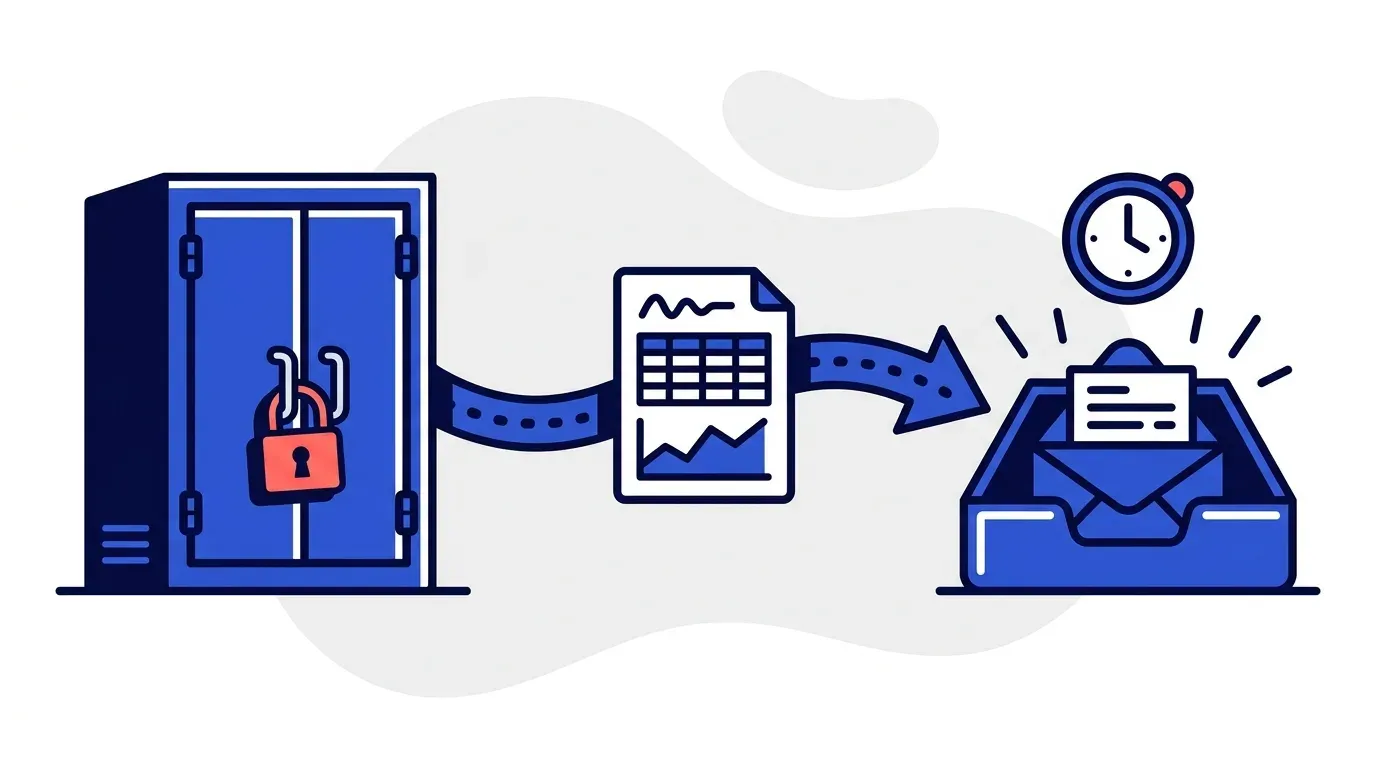
Most ERPs, including older on premise ones, can schedule a report and email it on a recurring basis. You point that schedule at an inbox the automation platform provides, and the file is imported automatically on arrival. The AR rep never touches it.
Where scheduling is not supported, the fallback is genuinely small. Someone runs the export once a day and drops the file into the platform. That is roughly one minute. Compare that to the two or three hours a day an AR rep spends pulling the aging report, finding the contact, writing the email, sending it, and noting in a spreadsheet whether this was the first, second, or third reminder.
Trading three hours for one minute is not a compromise worth agonizing over.
4. Run daily, not weekly
The schedule matters more than the mechanism. Payment detection works by comparison: an invoice that was open in yesterday's file and is settled in today's file gets marked paid, and its follow-up sequence stops.
If you export weekly, a customer who pays on Tuesday can still receive a reminder on Thursday. Nothing erodes confidence in an automated system faster than chasing someone who already paid. Daily is the right cadence, and since the export is scheduled, daily costs nothing extra.
Where the export route falls short
It is worth being straight about the tradeoffs, because vendors tend to gloss over them.
Freshness. A direct integration reflects a payment within minutes. An export reflects it on the next run. For collections this is almost never material, since reminder cadences are measured in days. It would matter for something like real time payment reconciliation, which is a different problem.
Format drift. If someone changes the report layout or an ERP upgrade renames a column, the import can break. In practice this surfaces immediately, because unmatched rows are flagged for review rather than silently dropped. It is a five minute fix, but it is a real failure mode that direct integrations do not have.
No write back. Exports are read only by nature. If you want the automation to post payment records or update customer contacts in the ERP, you need an integration. Most AR teams do not want write access anyway. Reading the ledger and leaving it untouched is the safer arrangement, and it is what we recommend even where write access is technically available.
None of these change what the automation can do. They change how tidy the plumbing is.
The migration case
A large share of the teams that start on CSV are mid migration. They are running QuickBooks Desktop while a cloud ERP is in testing, or waiting for the off season to cut over to Business Central, or standing up a new system that will not go live for another quarter.
Building an integration to a system you are about to retire makes no sense. Waiting for the new one means another six months of manual chasing.
Starting on exports resolves both. Collections improve now, and when the new ERP goes live you switch the data source without touching a single sequence, template, or escalation rule. The follow-up configuration is independent of where the data came from.
If your destination is a mainstream system, direct integrations already exist for QuickBooks, Xero, NetSuite, Sage, and Odoo. The export bridge just covers the gap until you get there.
What good looks like once it is running
The point of all this is that the AR rep stops being the mechanism.
Before, the routine is: open the aging report, scan for anything past thirty days, look up the customer contact, compose the email, send it, log it in a spreadsheet, repeat. Roughly eight minutes per invoice, every reminder, forever, and it quietly stops entirely during heavy invoicing weeks.
After, the sequence runs on its own. Reminders go out before the due date and at each escalation point, across email, SMS, and voice, from your own domain and signed by your AR rep. Replies land in one inbox with a drafted response waiting for review. The rep handles the twenty percent of cases that involve a real dispute or question, and the eighty percent that are just routine chasing happen without them.
TDG Inc, a Yonovo customer, reduced manual follow-ups by 80% and cut DSO by 15 days within three months of automating their collections. Across our customer base, automated follow-ups recover an average of 15 hours per week.
That outcome does not depend on how the invoice data reached the system. A team importing a daily CSV gets the same hours back as a team on a live API connection.
Questions to ask a vendor
If you are running a closed or legacy ERP, these are the ones that matter:
- Can you import a scheduled CSV or Excel export, and do you provide an inbox to send it to?
- How do you detect payment from an export, and how quickly does follow-up stop?
- What happens if a row does not match an existing customer or invoice?
- What columns do you require, and can you work with our current report or do we need to change it?
- If we migrate to a new ERP later, does our configuration carry over?
Any vendor who treats a CSV workflow as a second class path, or who cannot answer the payment detection question precisely, is worth skipping. Plenty of well run businesses operate on systems that will never have an API, and that is not a reason to keep chasing invoices by hand.
For a wider look at whether your process is ready to automate, see how to know if your AR process needs automation. If you want to know what changes day to day, how to stop chasing late payments covers the mechanics.
Or bring us an export. Book a demo with a copy of your AR aging report and we will tell you within the call whether the data is structured the way it needs to be.
Frequently Asked Questions
Can I automate accounts receivable without an ERP integration?
Yes. AR automation needs three things: open invoices with amounts and due dates, customer contact details, and a way to know when an invoice is paid. A standard AR aging export plus a customer list supplies all three. Direct API access is more convenient, but it does not change what the automation is able to do once the data is in.
What data does the CSV export need to include?
At minimum: a unique invoice identifier, the customer name or ID, the invoice date, the due date or payment terms, the original amount, and the current balance owing. A separate customer file should carry the customer name or ID, email addresses, and phone numbers. If your business withholds retainage or issues credits, those need their own columns rather than being netted into the total.
How does the system know when an invoice has been paid?
By comparing today's export against yesterday's. If an invoice was open yesterday and is absent or shows a zero balance today, it is treated as paid and follow-up stops. This is why the export needs to run on a schedule. A weekly export means up to a week of reminders going to customers who have already paid, which is the single fastest way to lose trust in the system.
Can the export be automated so nobody has to do it manually?
Usually yes. Most ERPs, including older on premise systems, can schedule a report and email it to a specified address. The automation platform provides an inbox to send it to and imports the attachment on arrival. Where scheduling is not available, an AR rep runs one export and drops the file in, which takes about a minute and replaces hours of manual reminder sending.
Is a CSV based setup less reliable than a direct integration?
The follow-up logic is identical either way. The differences are freshness and effort. A direct integration syncs continuously, while an export is as current as its schedule. A daily export is sufficient for almost every collections workflow, since reminder cadences operate in days, not minutes. The main risk is a broken or changed export format, which is caught quickly because the import surfaces mismatched records for review.
What if we are migrating to a new ERP soon?
That is a common reason to start with exports. Teams mid migration often run the old system in production while testing the new one, and nobody wants to build an integration to a platform they are retiring. Starting on CSV means collections improve immediately, and the direct integration is added once the new ERP is live without changing any of your sequences or templates.