

The best AI invoicing tool depends on whether your bottleneck is creating invoices or collecting on them. For most B2B teams, the real problem is not invoice generation but what happens after the invoice is sent. Platforms like Yonovo automate the entire post-invoice lifecycle, including multi-channel follow-ups, payment matching, and escalation. If your accounting system already handles invoice creation well, your biggest ROI comes from automating the collection side.
Every B2B finance team deals with invoicing. But "invoicing" means different things depending on where your pain point is. Some teams struggle with creating invoices. Most struggle with getting them paid.
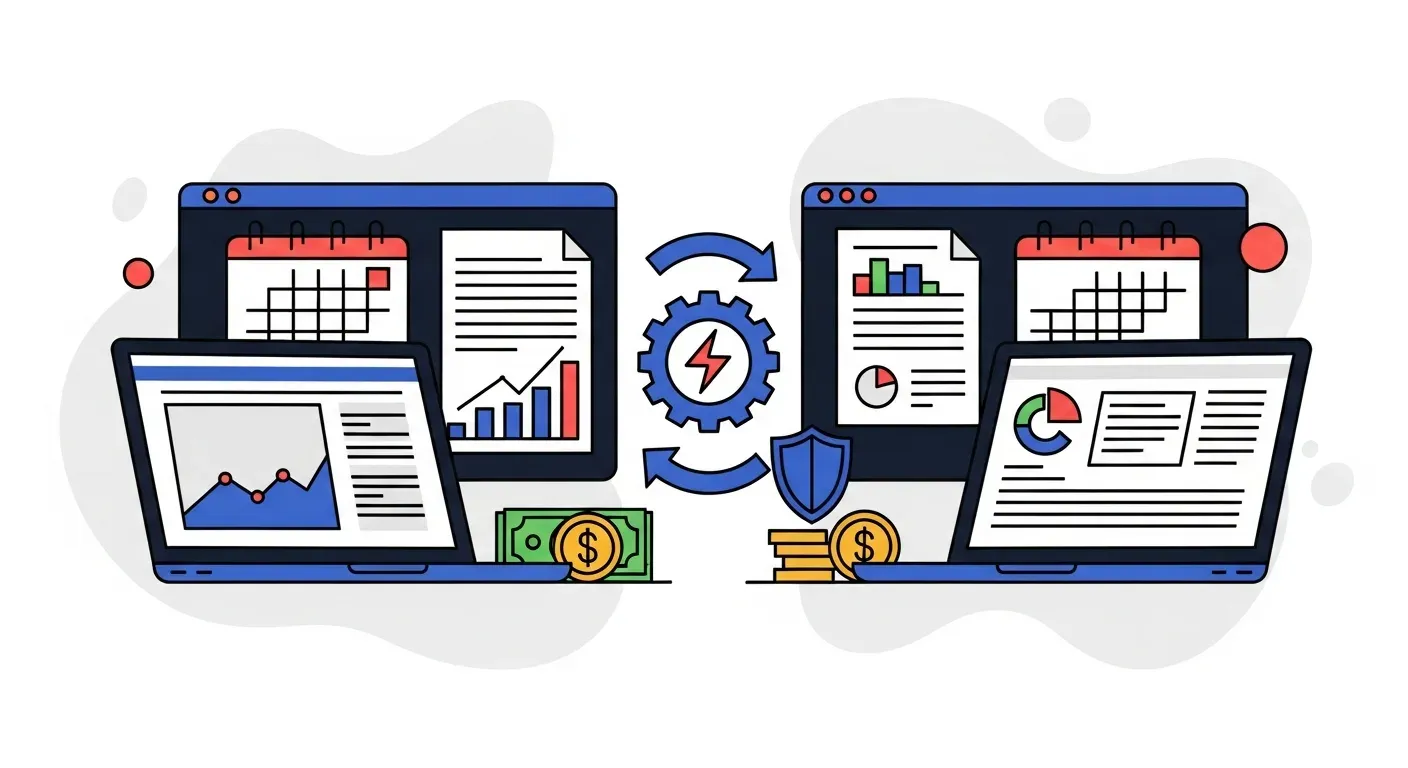
AI tools now address both sides of this problem. Some focus on invoice generation, pulling data from time trackers, contracts, or project management tools to create invoices automatically. Others focus on the post-invoice workflow: delivering invoices, sending reminders, matching payments, and collecting overdue balances. That second category is known as accounts receivable automation software.
This guide compares the best AI invoicing tools across both categories and helps you figure out which type of tool will actually make a difference for your team.
Where AI fits in the invoicing lifecycle
The invoicing lifecycle has four stages, and AI adds value at each one differently.
1. Invoice creation
AI can draft invoices from data sources like timesheets, purchase orders, or contracts. Tools like Chargebee, Zoho Invoice, and FreshBooks use AI to auto-populate line items, apply tax rules, and flag errors before an invoice goes out. For businesses with complex or variable billing, this saves hours per billing cycle.
But here is the reality for most B2B companies: invoice creation is already handled by your accounting system. If you use QuickBooks, Xero, NetSuite, Sage, or Odoo, you are probably already generating invoices reasonably efficiently. The bottleneck is rarely creating the invoice. It is what happens next.
2. Invoice delivery
Getting the invoice to the right person, at the right address, in the right format matters more than most teams realize. A surprising number of late payments happen not because the customer is unwilling to pay, but because the invoice went to the wrong email, sat in a spam folder, or was missing a purchase order number.
AI tools help by validating delivery details, sending invoices across multiple channels, and confirming receipt. Some platforms can detect when an invoice email was not opened and automatically resend or try a different channel.
3. Payment follow-ups and collections
This is where AI has the biggest impact on B2B invoicing. The average finance team spends 14 hours per week chasing overdue payments. AI automates this entire workflow: sending reminders on a schedule, escalating through email, SMS, WhatsApp, and voice calls, adjusting tone and frequency based on invoice age, and routing unresponsive accounts for human attention.
For a detailed breakdown of the time savings, see our analysis of how much time AI saves in collections.
4. Payment matching and reconciliation
When money arrives, someone has to match it to the right open invoice. AI handles this by cross-referencing amounts, reference numbers, customer data, and payment history. Partial payments, combined payments, and mismatched references that would take a human 10 minutes to sort out are resolved in seconds.
The best AI invoicing tools for B2B teams
Here is how the leading platforms compare across the invoicing lifecycle.
Yonovo: Best for automated invoice follow-ups and collections
What it does: Yonovo automates the post-invoice workflow. Once invoices are created in your accounting system, Yonovo takes over: delivering reminders, following up across email, SMS, WhatsApp, and AI voice calls, matching payments, and escalating overdue accounts. It connects directly to QuickBooks, Xero, NetSuite, Sage, Odoo, FreshBooks, Salesforce, HubSpot, and SAP with real-time two-way sync.
Key strengths:
- Multi-channel follow-ups. Email alone has a 20% open rate. SMS reaches 90%. WhatsApp hits 95% in markets where it dominates. Yonovo uses all four channels plus AI voice calls, reaching customers wherever they actually engage.
- Intelligent escalation. Reminders start friendly and escalate in tone, frequency, and channel as invoices age. You customize the rules by customer segment, invoice size, and account history.
- Real-time payment matching. Incoming payments are matched to open invoices automatically. Your follow-up sequences stay accurate, and paid invoices never get a duplicate reminder.
- One-day setup. Connect your accounting system and configure workflows in the same day. No IT involvement required.
Results: TDG Inc reduced manual follow-ups by 80% and cut DSO by 15 days within three months. Troyes went from fully manual collections to fully automated in a single day.
Best for: B2B finance teams whose invoicing bottleneck is getting paid, not creating invoices. Especially effective for manufacturing, wholesale distribution, and professional services companies with high invoice volumes.
Chargebee: Best for subscription and recurring invoicing
What it does: Chargebee automates recurring invoice generation, billing management, and revenue recognition for subscription businesses. Its AI features focus on smart dunning sequences, revenue recovery, and churn reduction.
Key strengths:
- Automated recurring invoice generation and proration
- Smart dunning with retry logic for failed payments
- Revenue recognition and SaaS metrics
- Strong integrations with payment gateways
Best for: SaaS and subscription businesses where invoice creation itself needs automation because billing happens on recurring, tiered, or usage-based schedules.
Limitation: Focused on subscription billing. Not designed for the variable, project-based, or purchase-order-driven invoicing common in manufacturing or professional services.
Zoho Invoice: Best for small business invoice creation
What it does: Zoho Invoice uses AI to automate invoice creation, expense tracking, and basic payment reminders within the Zoho ecosystem. It can auto-generate invoices from projects, time entries, and estimates.
Key strengths:
- AI-assisted invoice creation from time and expense data
- Automated workflows for recurring invoices
- Client portal for viewing and paying invoices
- Integration with the broader Zoho suite
Best for: Small businesses that need help creating invoices and want a lightweight, affordable tool within the Zoho ecosystem.
Limitation: Payment follow-up capabilities are basic (email only). If your problem is collections rather than invoice creation, you will need a dedicated AR automation layer on top.
FreshBooks: Best for service businesses and freelancers
What it does: FreshBooks combines invoicing, time tracking, expense management, and basic accounting. Its AI features help with automated invoice creation from tracked time, late payment reminders, and expense categorization.
Key strengths:
- Seamless time-to-invoice workflow
- Automated payment reminders (email)
- Client-friendly invoice design and payment experience
- Built-in expense tracking and reporting
Best for: Service businesses and freelancers who need an all-in-one tool for time tracking, invoicing, and basic accounting.
Limitation: The reminder system is email-only with limited customization. Not designed for the volume or complexity of B2B collections at scale.
Tipalti: Best for high-volume global invoicing
What it does: Tipalti handles accounts payable and mass payments, but it also offers invoice processing capabilities with AI-powered data extraction, validation, and approval workflows. It is strongest on the payables side.
Key strengths:
- AI-powered invoice data extraction (OCR)
- Multi-currency and multi-entity support
- Automated tax compliance and regulatory checks
- Strong for high-volume, global payment operations
Best for: Companies processing large volumes of incoming invoices (AP) that need AI-powered data extraction and validation. Less focused on the AR/collections side.
Limitation: Tipalti is primarily an AP tool. If your need is sending invoices and collecting payments, not processing incoming ones, it is not the right fit.
Plooto: Best for Canadian SMBs
What it does: Plooto offers payment automation with invoicing features, including AI-powered invoice matching and automated payment workflows. It integrates well with QuickBooks and Xero.
Key strengths:
- Two-way sync with QuickBooks and Xero
- Automated payment matching
- Combined AR and AP in one platform
- Strong in the Canadian market
Best for: Canadian small and mid-size businesses that want combined AR and AP automation with good local bank integrations.
Limitation: Limited multi-channel outreach for collections. The platform handles payments and matching well but does not offer SMS, WhatsApp, or voice follow-ups.
How to decide what you actually need
The right AI invoicing tool depends on where your process breaks down. Ask these three questions.
Is your problem creating invoices or collecting on them?
If you spend hours each month building invoices from scratch because your billing is complex, variable, or project-based, you need an invoice creation tool. Chargebee (for subscriptions), Zoho Invoice (for small business), or FreshBooks (for services) address this.
If your invoices go out fine but payments come in late, you need an AR automation platform that picks up where your accounting system leaves off. This is what Yonovo is built for.
Most B2B companies fall into the second category. Their accounting system handles invoice creation adequately. What it does not handle is the systematic, multi-channel follow-up process that actually gets invoices paid.
How many channels do you need?
Email-only reminders work for a while. But response rates decline after the second or third email, and some customers simply do not prioritize email. If your customers are in industries where SMS, WhatsApp, or phone calls are more effective, like construction, manufacturing, or distribution, you need a platform that supports those channels.
For more on why channel diversity matters, see our guide on multi-channel payment chasing.
Does it integrate with your accounting system?
Any tool you choose must sync with your existing accounting software. If the integration is not real-time and two-way, you will end up with mismatched data, duplicate reminders for paid invoices, and more manual work than you started with.
Check whether the tool connects natively to your platform. Yonovo integrates directly with QuickBooks, Xero, NetSuite, Sage, and Odoo, among others. For a detailed comparison of QuickBooks-specific integrations, see our QuickBooks AR integration guide.
What most teams get wrong about AI invoicing
The most common mistake is treating invoicing as a creation problem when it is actually a collection problem. Finance teams evaluate tools based on how well they generate invoices, when the real cost is the 55% of B2B invoices that are paid late and the hours spent chasing them.
Consider the numbers. If your team sends 200 invoices per month and 40% are paid late, that is 80 overdue invoices per month requiring follow-up. At 15 minutes per follow-up (optimistic for manual outreach), that is 20 hours per month on just the first round of reminders. Second and third rounds add another 10 to 15 hours. Payment matching adds more.
AI tools that only solve invoice creation do not touch this problem. They save time on the front end but leave the most expensive part of the invoicing lifecycle manual.
The tools that deliver the highest ROI automate the collection side: systematic reminders across multiple channels, intelligent escalation, automatic payment matching, and real-time visibility into what is paid, what is overdue, and what needs attention.
A note on "AI" in invoicing
Not every tool that markets itself as "AI-powered" uses AI in a meaningful way. Some use the term to describe basic automation, like sending a templated email on a schedule, or rules-based invoice creation. There is nothing wrong with these features, but they are not AI.
Genuine AI capabilities in invoicing include:
- Predictive payment scoring. Analyzing customer behavior to predict which invoices will go overdue before they do.
- Natural language processing. Understanding customer replies to determine intent (dispute, payment commitment, request for information) and routing accordingly.
- Adaptive escalation. Adjusting follow-up timing, channel, and tone based on what has worked for similar customers and invoices in the past.
- Intelligent payment matching. Resolving ambiguous payments (partial amounts, missing references, combined payments) using pattern recognition rather than simple rules.
When evaluating tools, ask specifically what the AI does. If the answer is "it sends emails automatically," that is automation, which is still valuable, but it is not the same as AI that learns and adapts.
The bottom line
For most B2B finance teams, the best AI invoicing tool is not an invoicing tool at all. It is an AR automation platform that takes over the moment an invoice is created and drives it through delivery, follow-up, and collection.
Your accounting system already creates invoices. What it does not do is chase them across email, SMS, WhatsApp, and voice. It does not predict which invoices will go overdue. It does not match payments automatically. It does not escalate intelligently based on customer behavior.
If your goal is to get invoices paid faster and free your team from manual collection work, book a demo with Yonovo to see how automated multi-channel follow-ups work with your real invoices and your real customers. You will see the difference between creating invoices and actually collecting on them.
Frequently Asked Questions
What is an AI invoicing tool?
An AI invoicing tool uses artificial intelligence to automate parts of the invoicing process. This can include generating invoices from contracts or time entries, delivering invoices across channels, sending automated payment reminders, matching incoming payments to open invoices, and predicting which invoices are at risk of going overdue. The best tools handle the full cycle from invoice delivery through cash collection.
Can AI create invoices automatically?
Yes. Several AI tools can generate invoices from data sources like time tracking systems, project management tools, contracts, or purchase orders. However, most B2B companies already create invoices through their accounting software. The larger opportunity for AI is automating what happens after the invoice is created, specifically follow-ups, reconciliation, and collections.
How does AI improve invoice collections?
AI improves collections by automating payment reminders across email, SMS, WhatsApp, and voice calls. It escalates follow-ups based on invoice age and customer behavior, predicts which invoices are likely to go overdue, and matches payments to invoices automatically. This consistency and multi-channel reach gets invoices paid 10 to 20 days faster on average.
Do AI invoicing tools integrate with QuickBooks and Xero?
Most AI invoicing and AR automation tools integrate with popular accounting platforms like QuickBooks, Xero, NetSuite, Sage, and Odoo. The key differentiator is whether the integration is real-time and two-way. One-way or batch integrations create data mismatches that lead to duplicate reminders or missed payments. Look for platforms that sync continuously with your accounting system.
Is AI invoicing software worth it for small businesses?
Yes, if your team spends more than a few hours per week on invoice follow-ups and payment tracking. The ROI comes primarily from time savings and faster collections, not from the invoice creation itself. Even small teams processing 50 or more invoices per month see meaningful improvements in DSO and freed-up hours.